Assign licenses
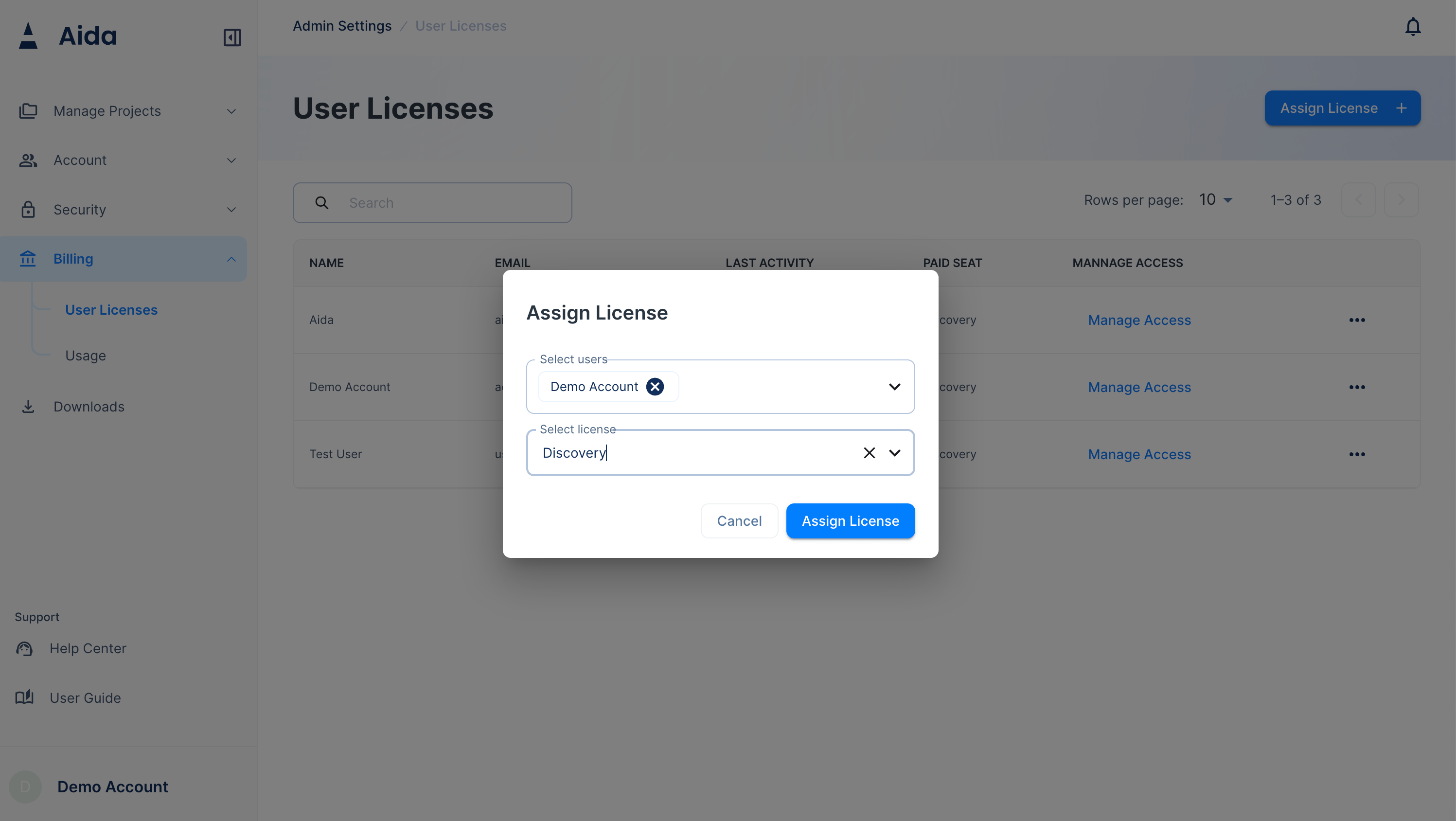
To allow a user to access the chat feature, you must assign them a Discovery license.- Navigate to the Admin portal
- Navigate to
Billing->User Licenses - Click
Assign License - Select users and select license type from the dropdown menu, choose the
Discoverylicense. - Click
Confirm
Release licenses
- Navigate to the Admin portal
- Navigate to
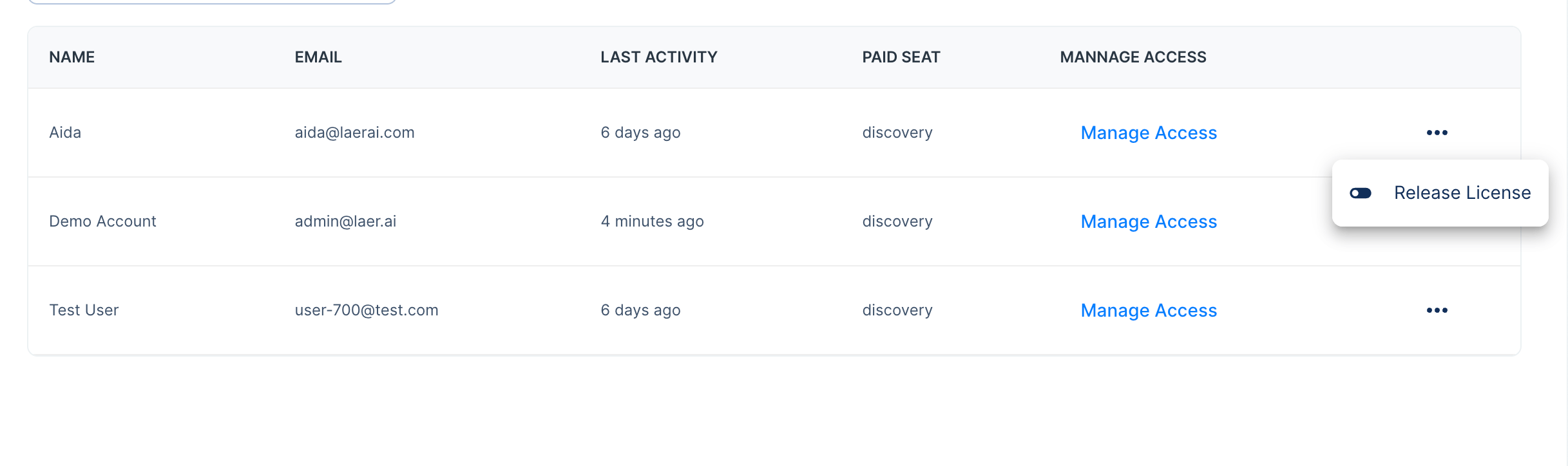
Billing->User Licenses - Click on the user menu icon
- Click
Release License - Click
Confirm