-
On the Admin Settings page, click the Users tab.
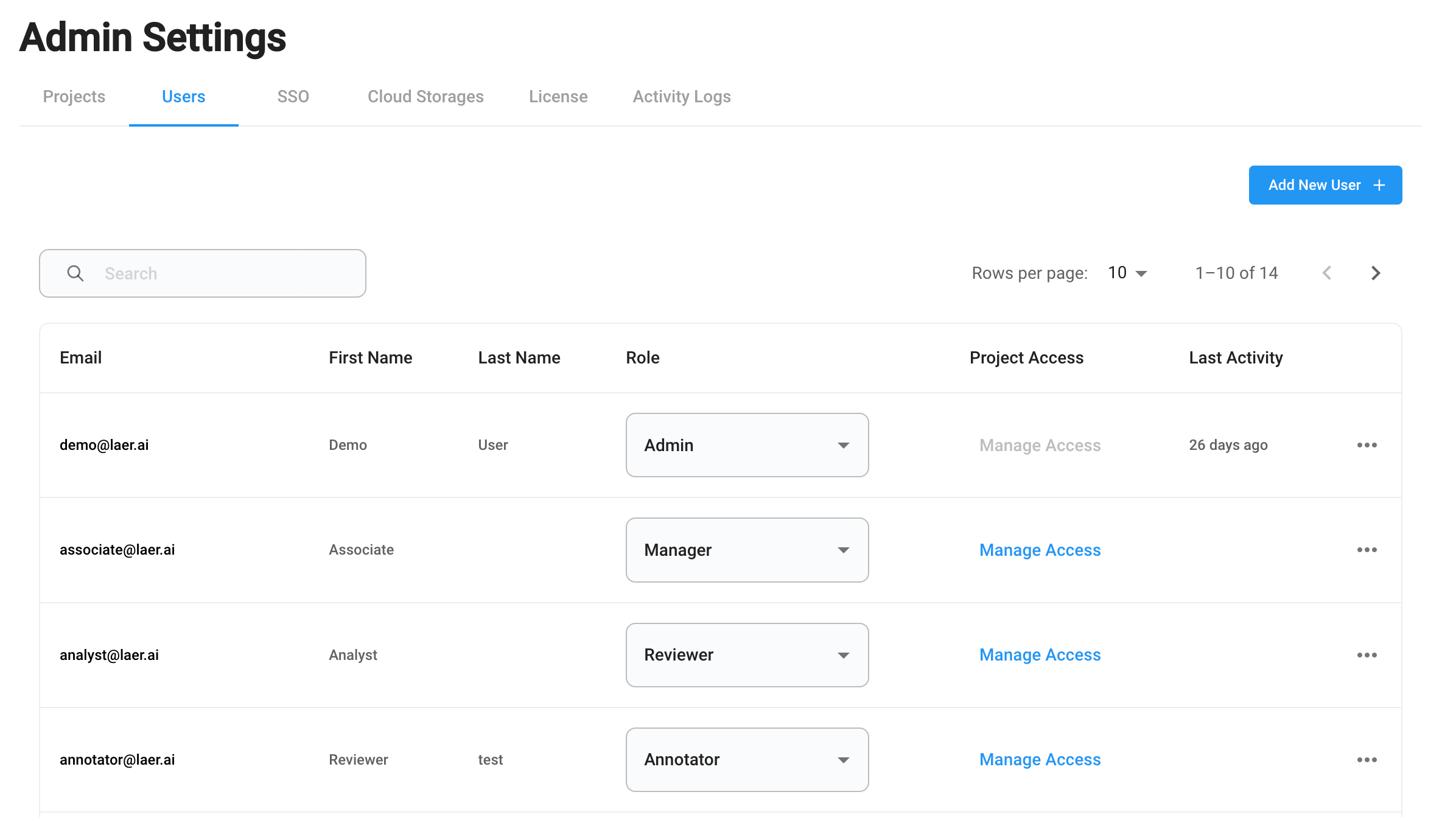
- Select a user who is not an Admin user, click “Manage Access”.
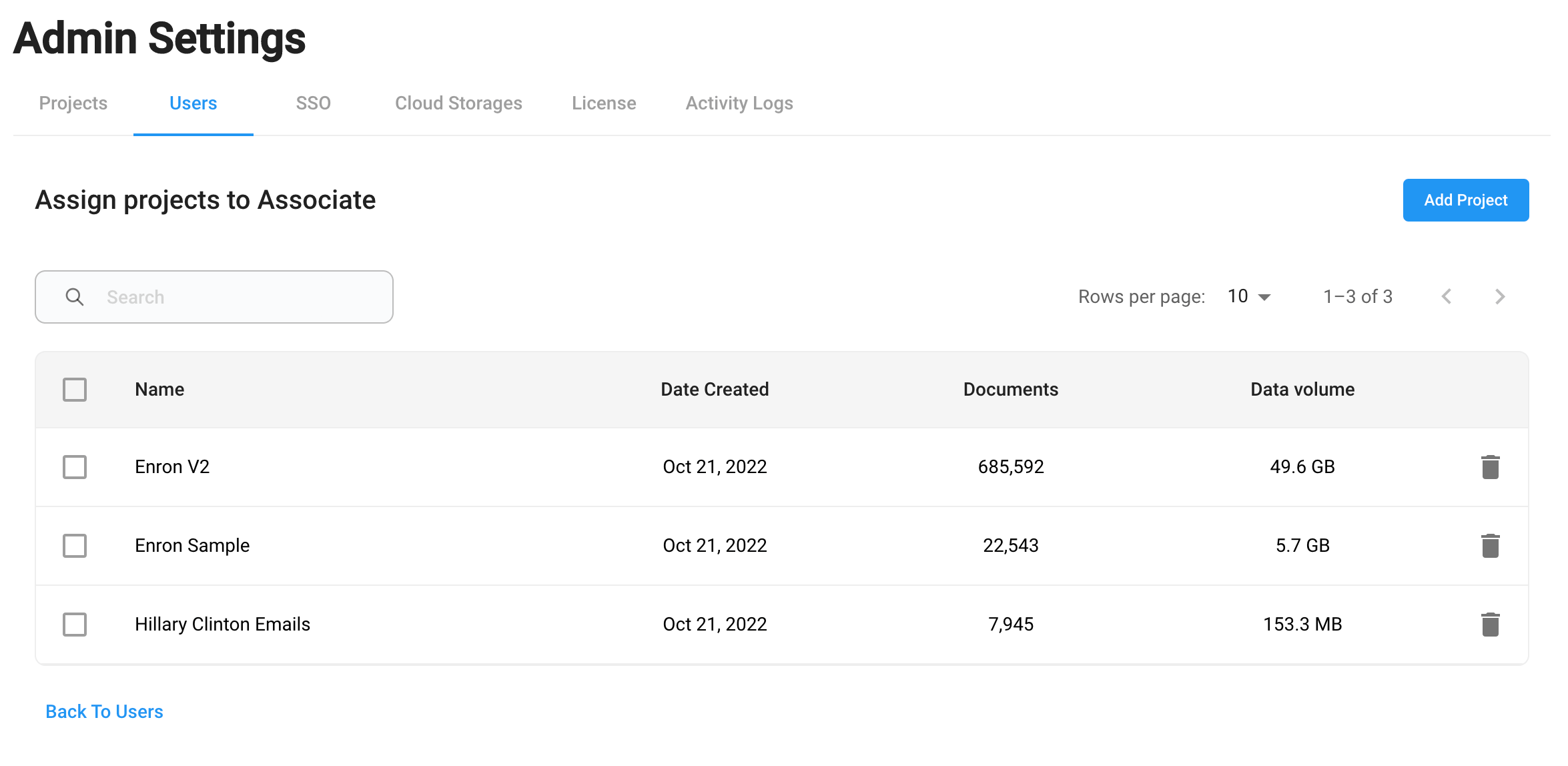
- Assign a project to the user by clicking “Add Project”.
-
Remove the user’s access to existing projects by selecting the projects and click Remove.