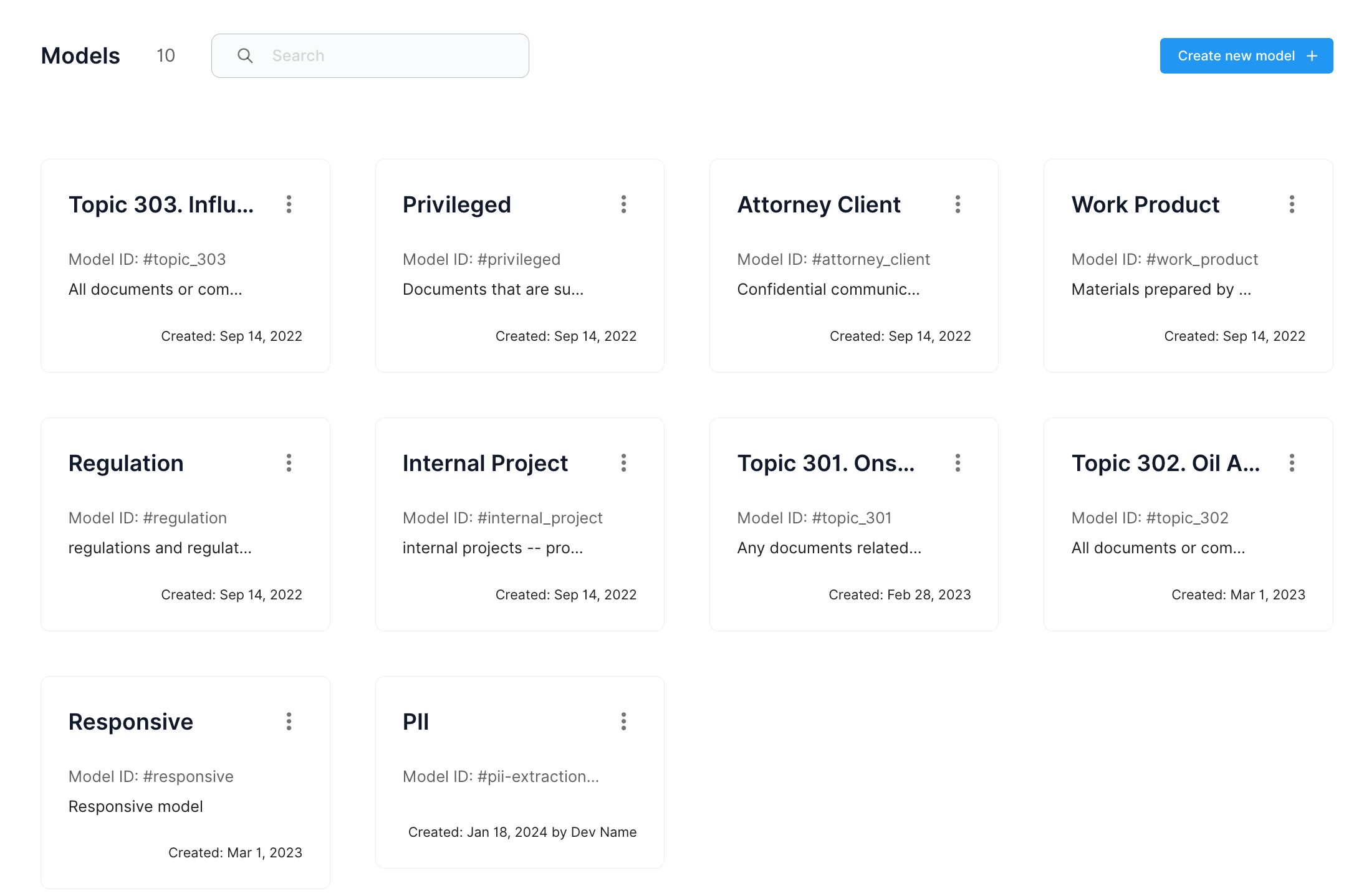
Create a model
- Instruction-based Creation: Define your model by providing a set of instructions that describe the desired outcomes and functionalities.
- Example-based Training: Alternatively, you can train your model by feeding it examples. Upload your data samples or tag documents that are already in Epiq AI and the system will learn to recognize patterns and make predictions.
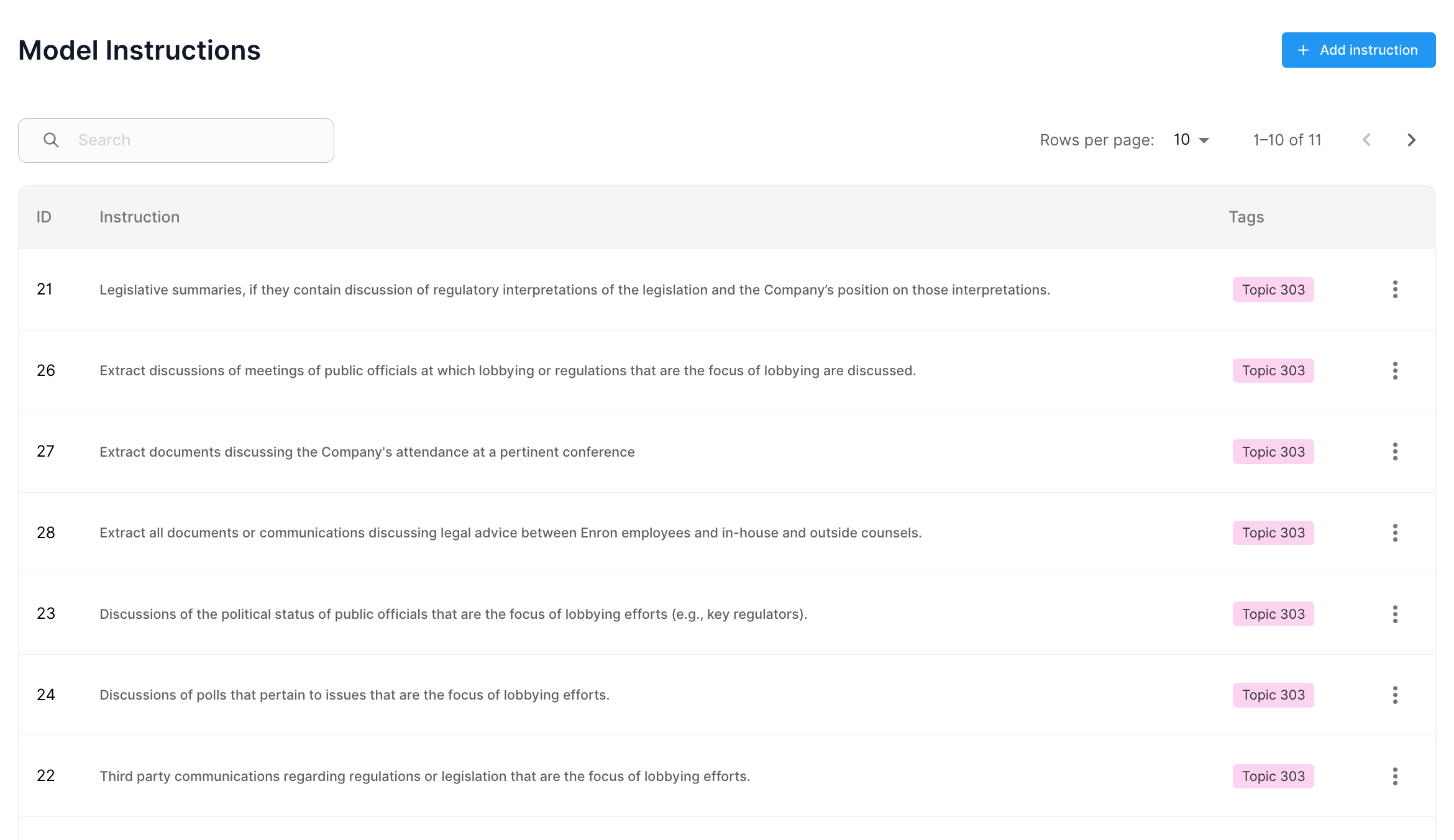
Training Your Model
- Training Process: Initiate the training process by selecting ‘Run’. You can monitor the training progress in real-time.
- Feedback Loop: Provide feedback on the model’s performance iteratively during training to enhance accuracy.

Model Predictions
Once the model is run, you will receive predictions based on your data. The predictions will include confidence scores as well as predicted tags or extractions.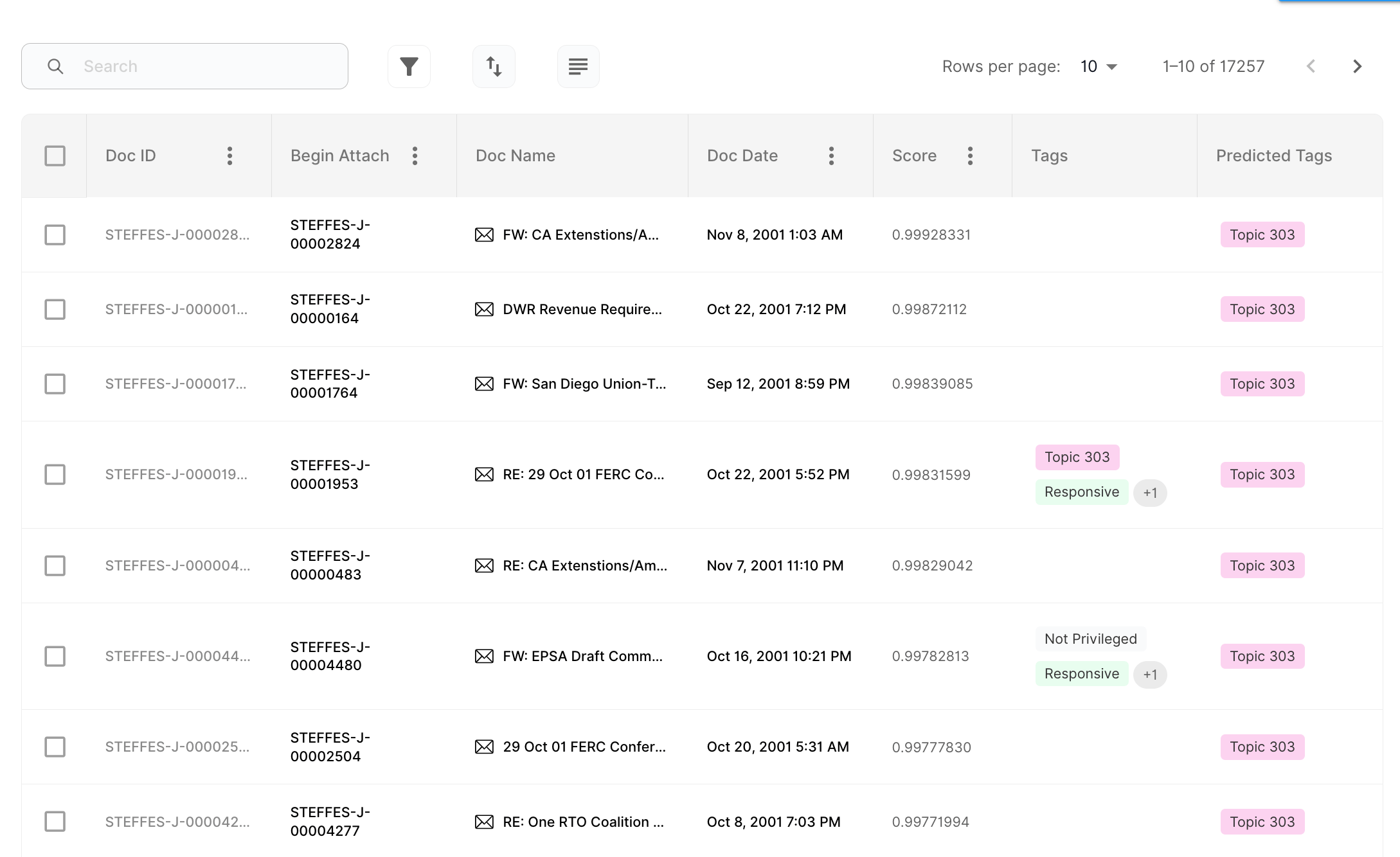
Metrics Report
The metrics report helps you measure model performance after a run. Use it to review core metrics such as accuracy, precision, and recall. These metrics help you understand how well the model is performing on your data.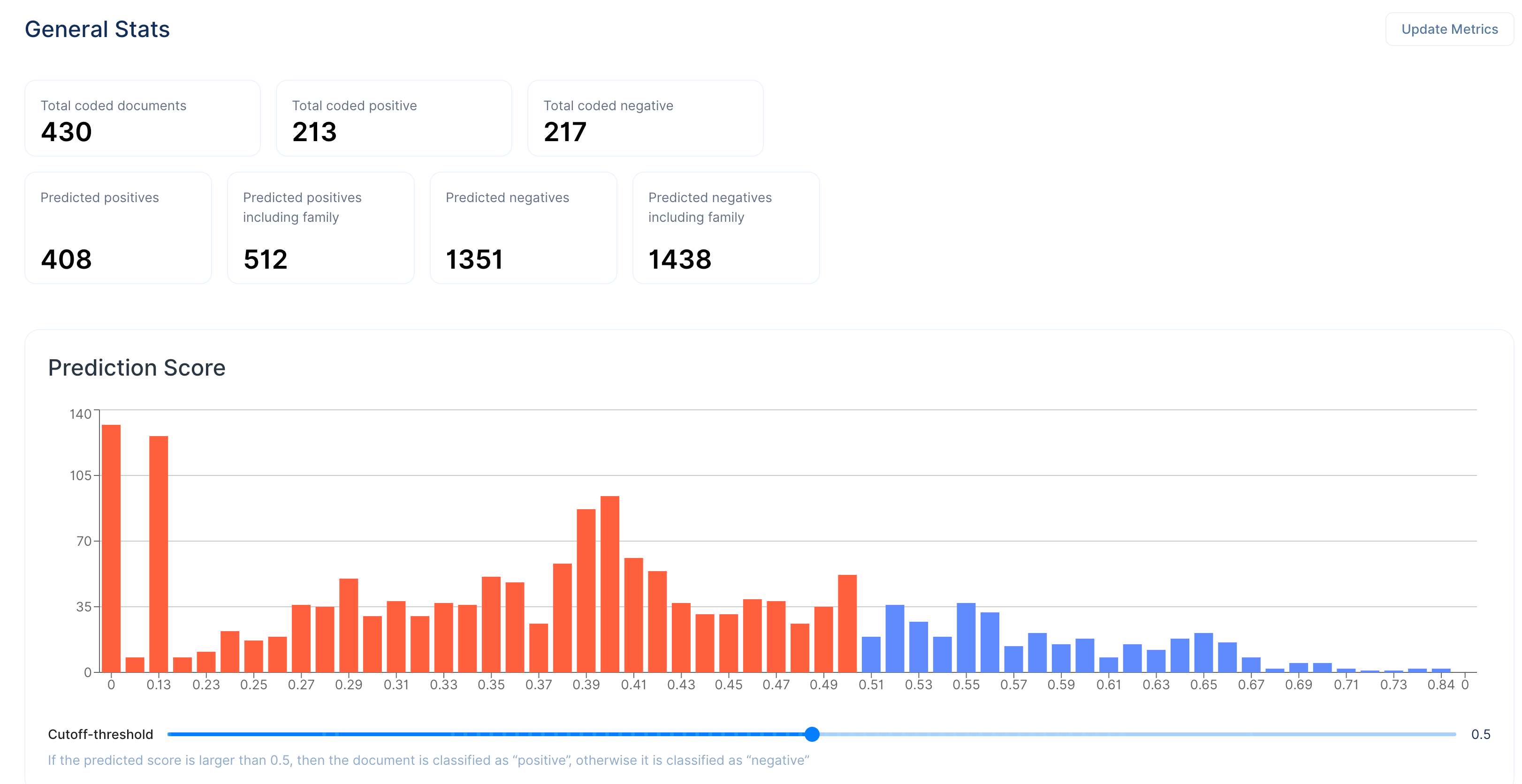
Model Analytics
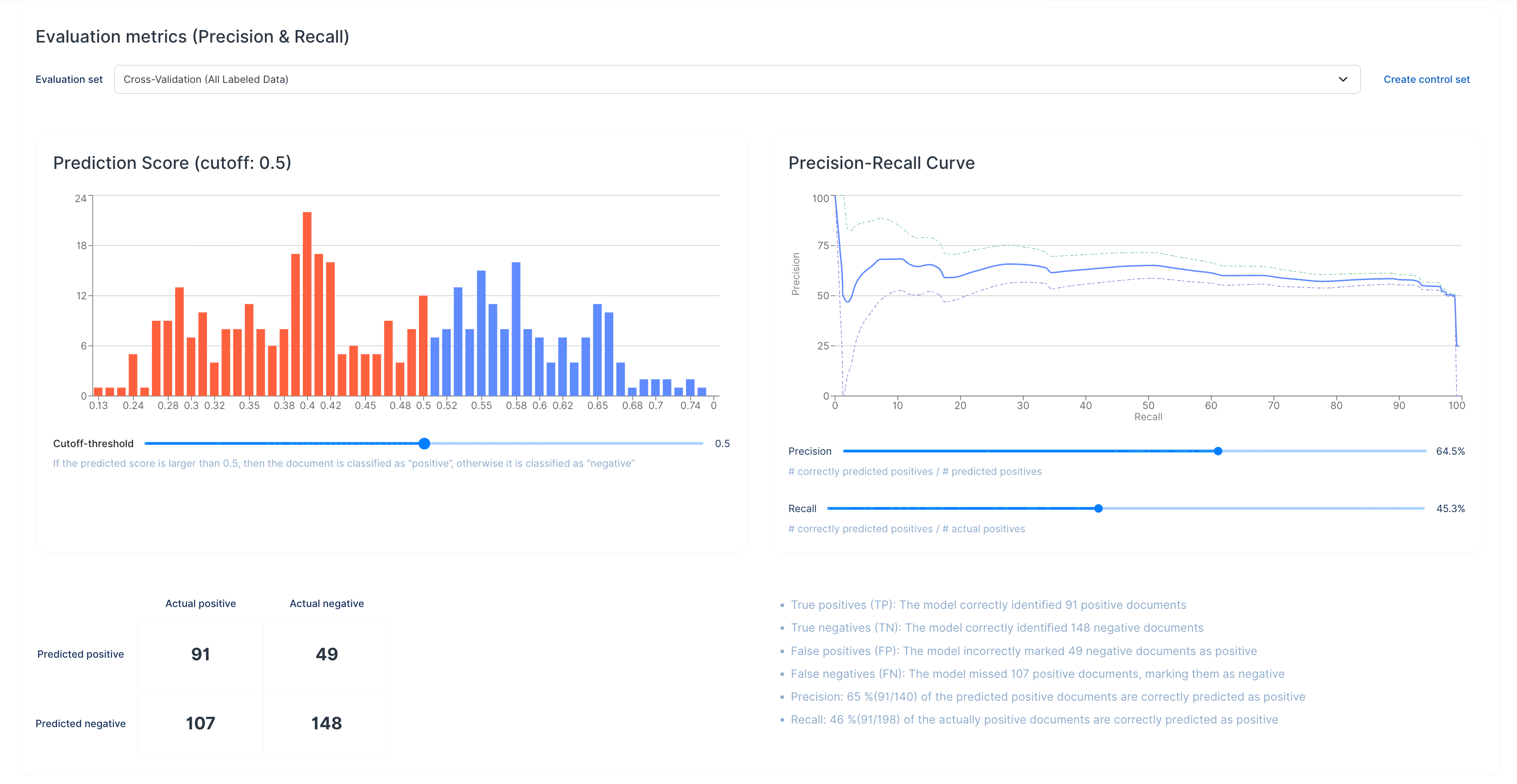
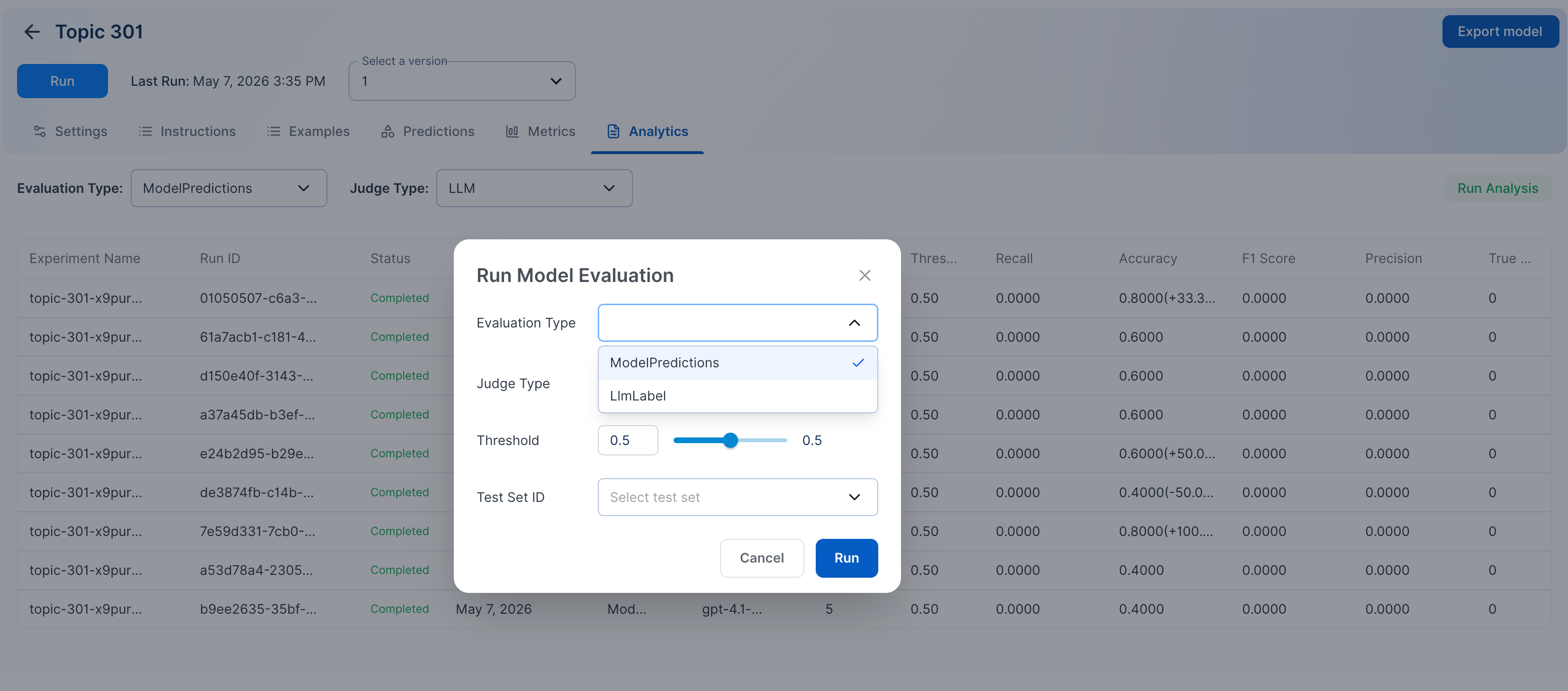
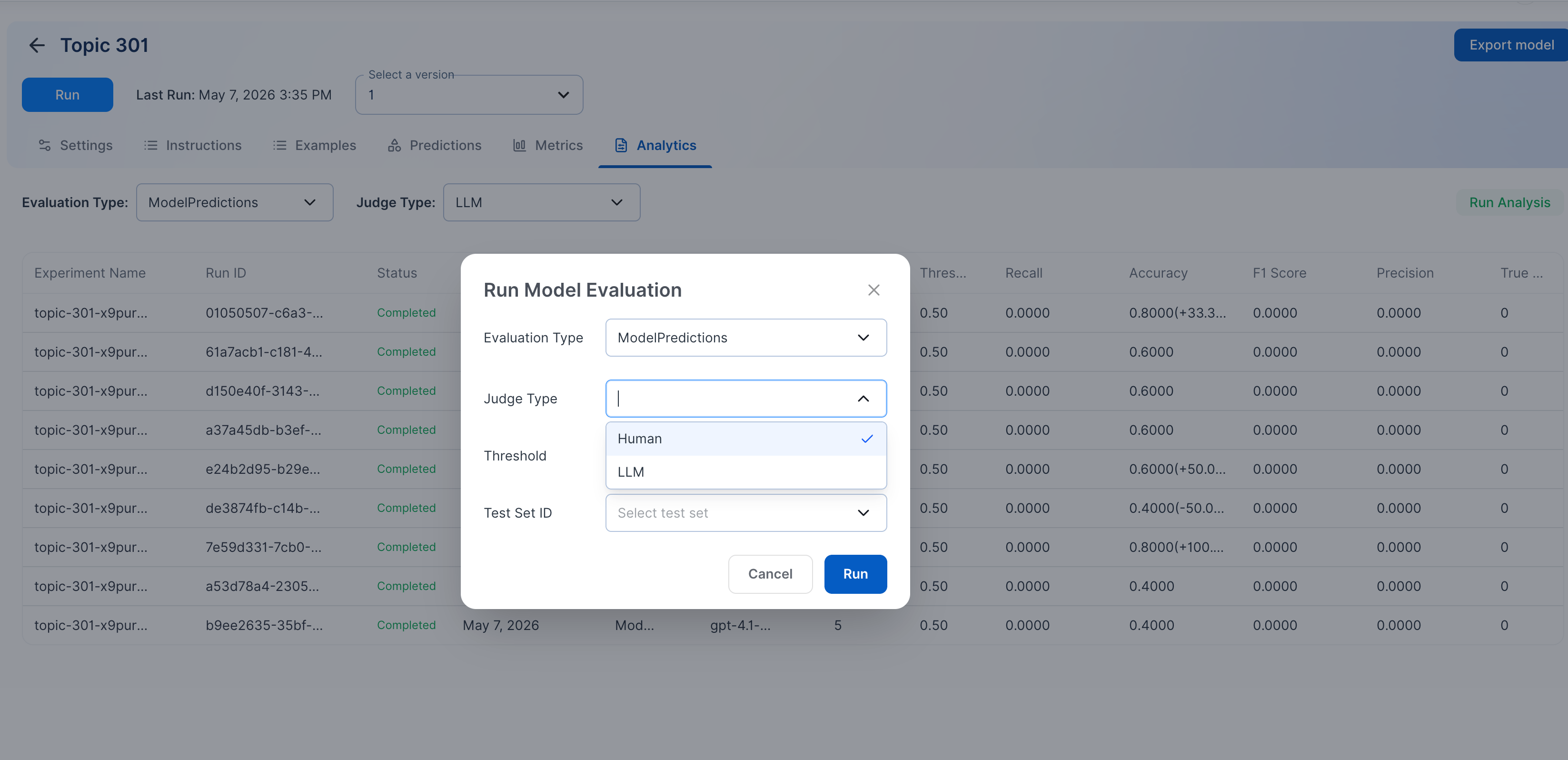
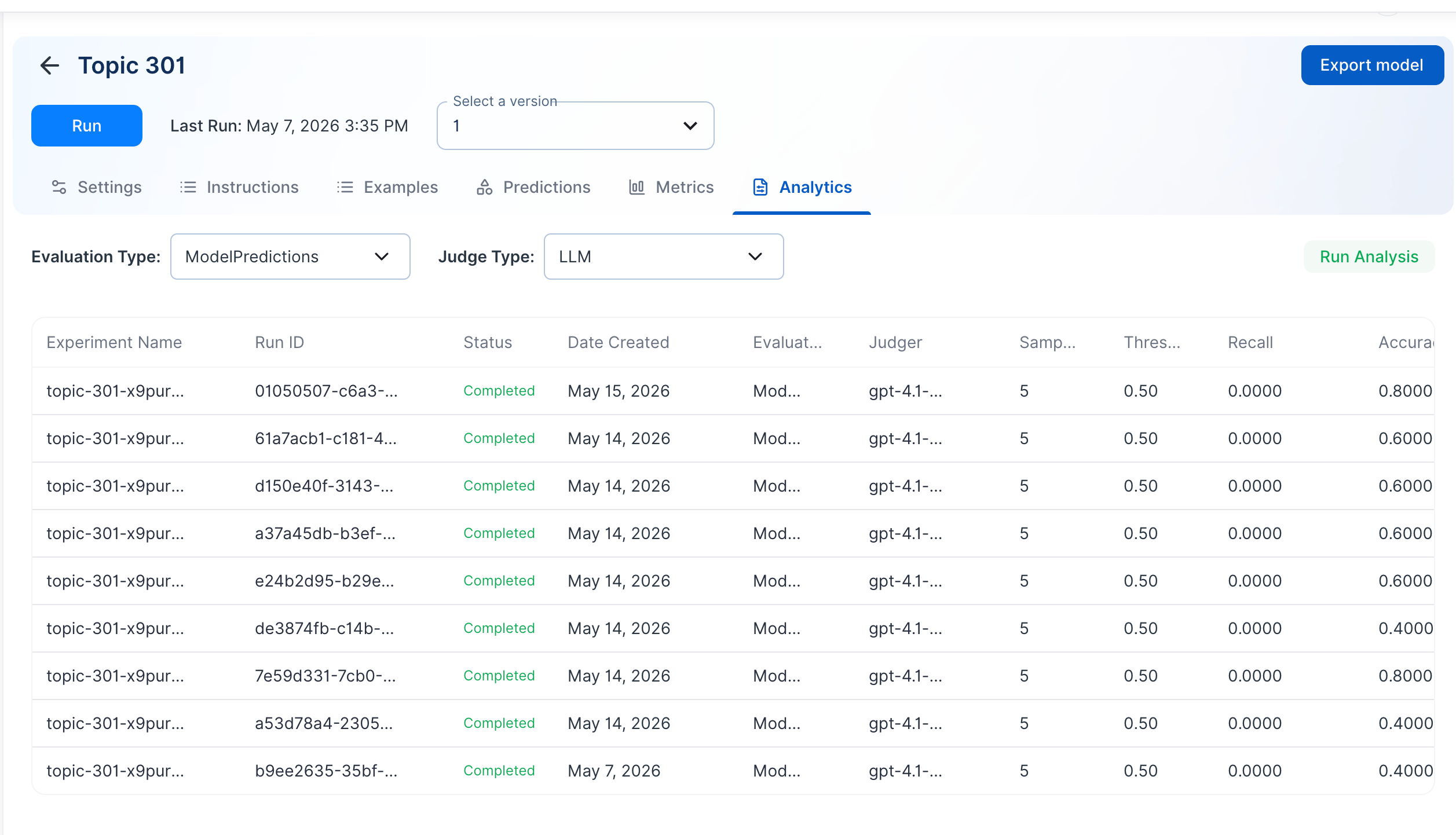
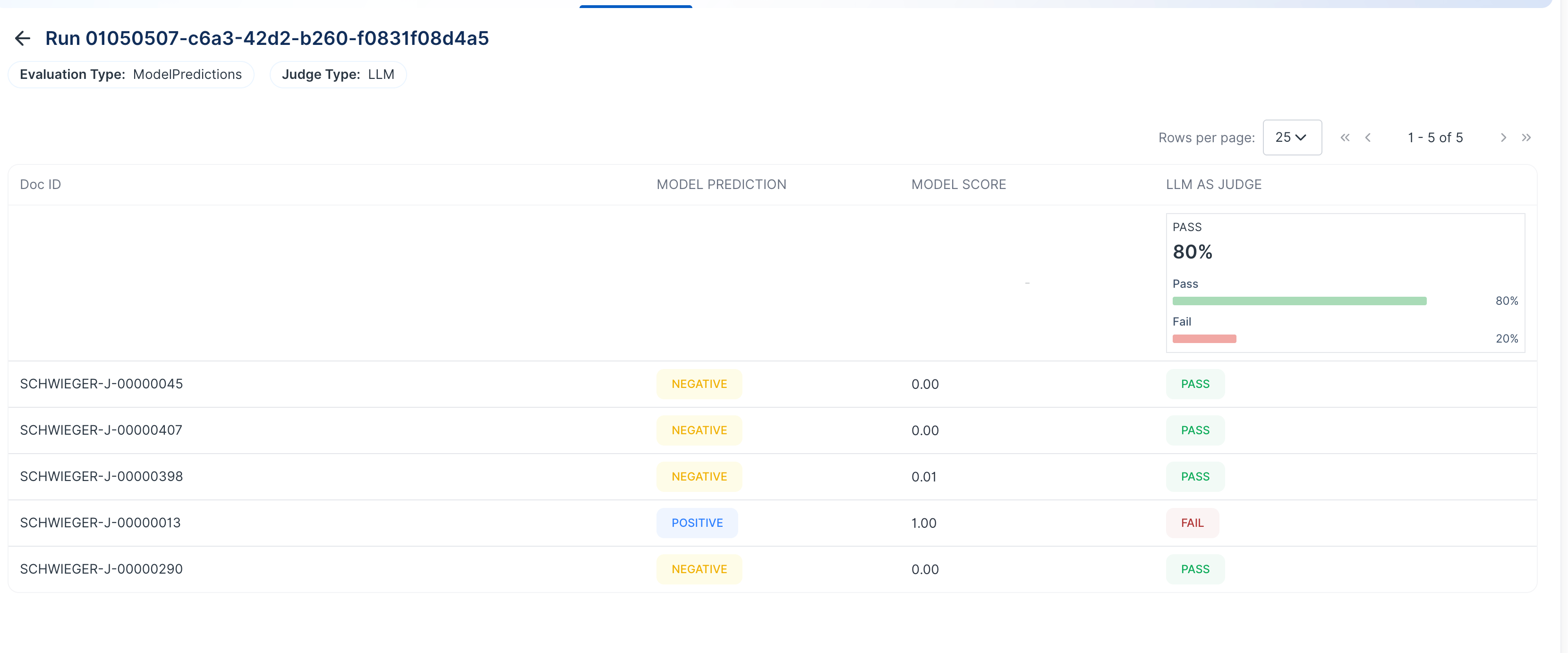
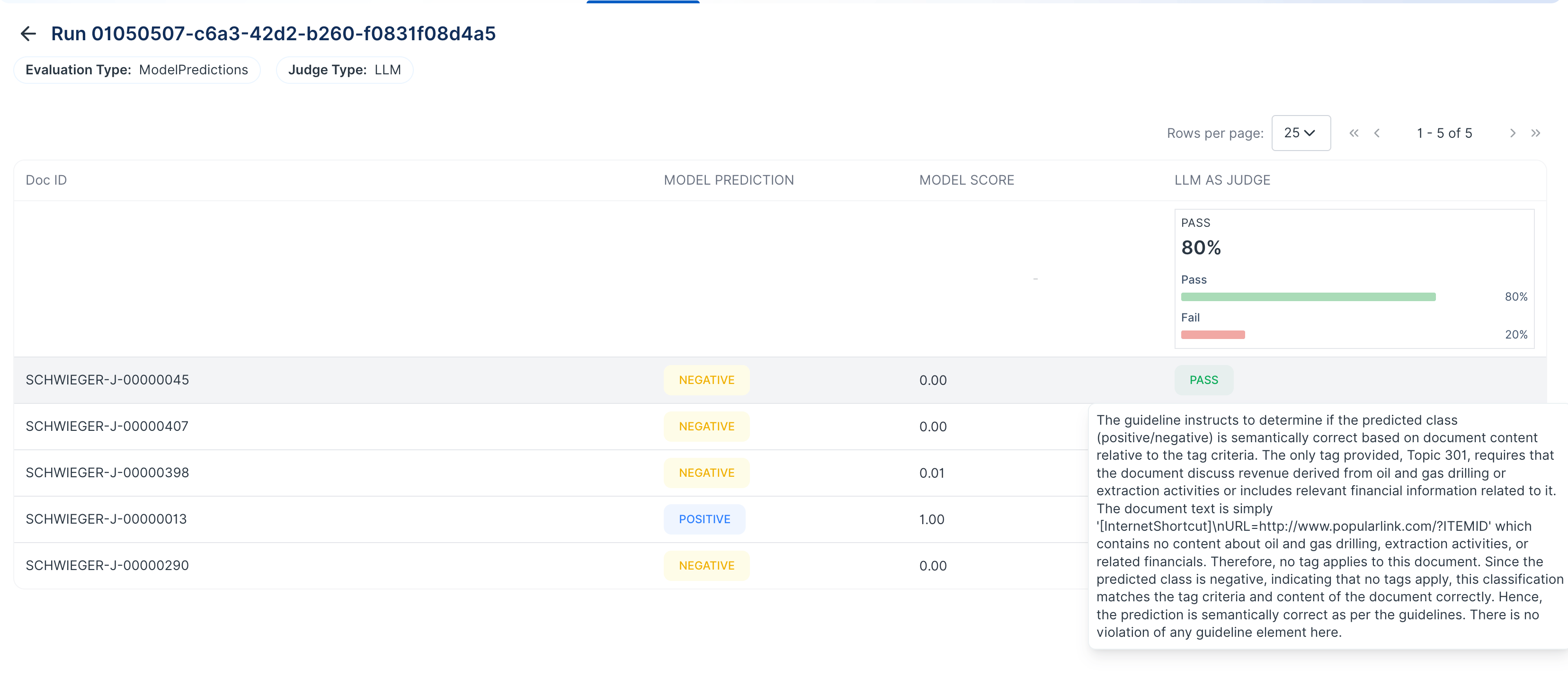
Model Analytics lets you run evaluations on AIDA predictions (AIDA Model Prediction with scores or AIDA LLM Prediction). The judge could be Human Label or another LLM. You can use these evaluations to compare predictions and review the result for each item. If you use the LLM as Judge evaluation type, an LLM acts as the judge and evaluates the predictions. After the evaluation finishes, you can see a Pass or Fail result and the reason for the decision. For other evaluation types, the results show only Pass or Fail.Use Model Analytics
- Open the model you want to evaluate.
- Go to Analytics.
- Select the prediction type you want to compare.
- Select the judge type.
- Use Human Label to compare predictions against reviewed labels.
- Use LLM as Judge to have an LLM evaluate the prediction.
- Run the evaluation.
- Review the results for each item.
- LLM as Judge shows Pass or Fail and a reason.
- Other evaluation types show Pass or Fail only.
Tag Prediction Report
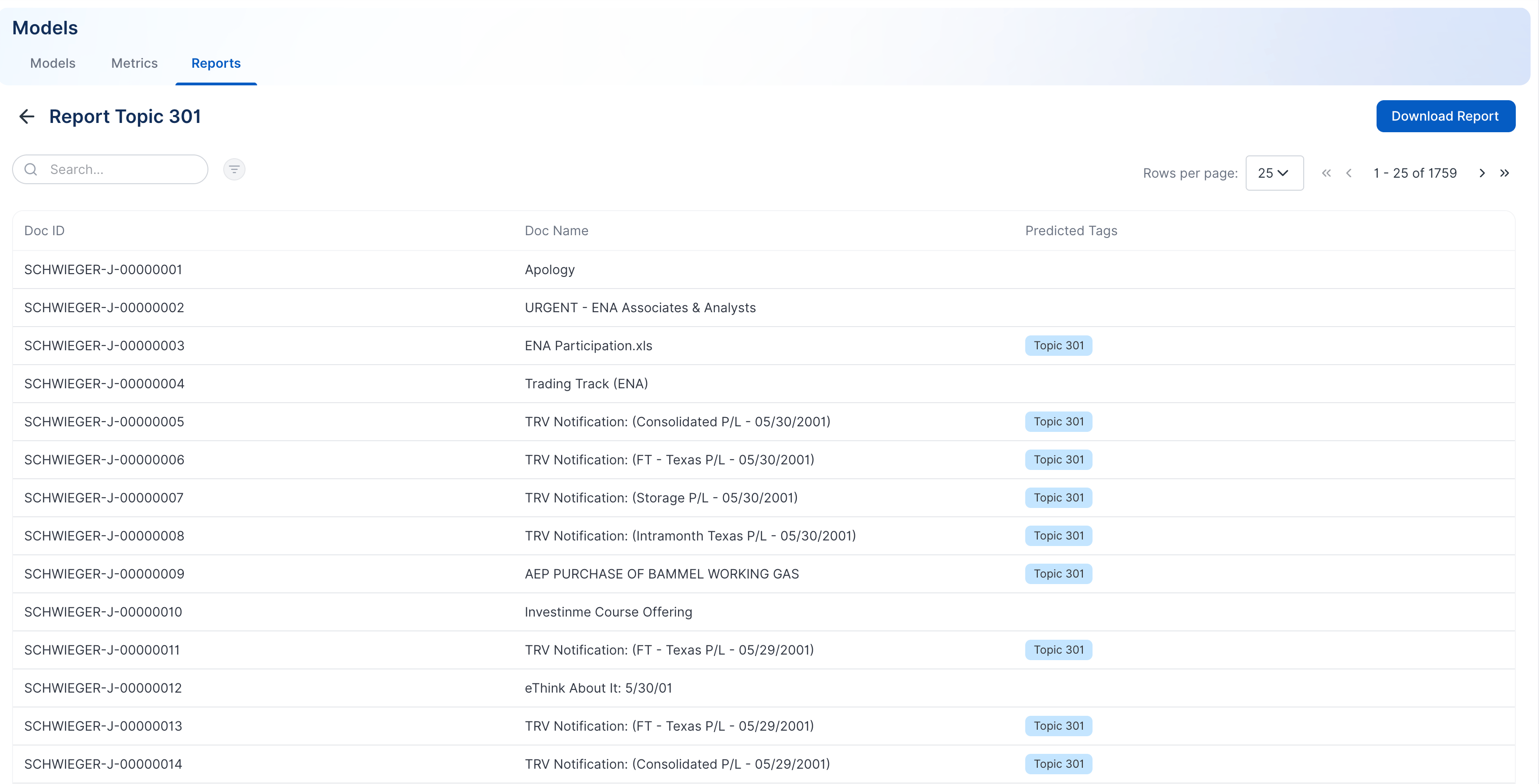
The tag prediction report shows which tags the selected models predicted. Use this report to review predicted tags, apply constraints, and download the results.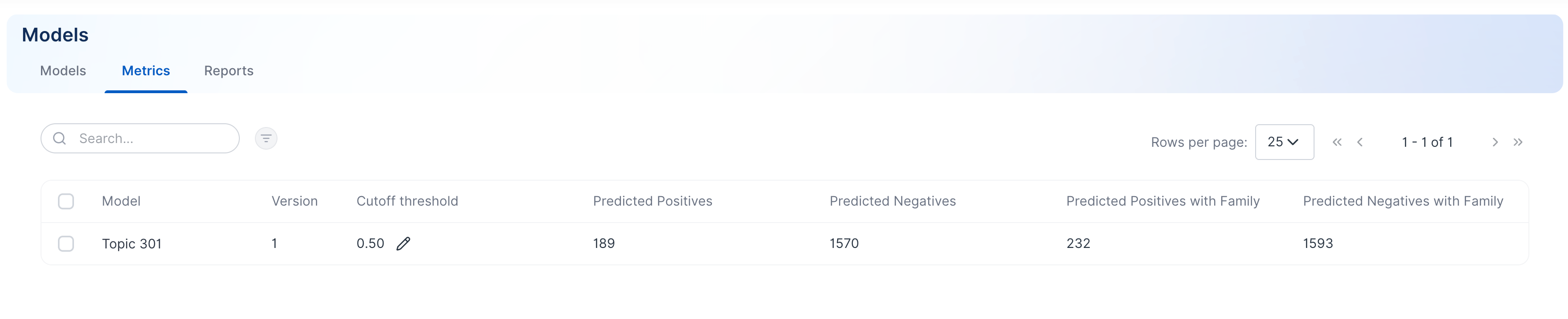
Create a tag prediction report
- Select the models you want to include in the report.
- Click Create Report.
- Adjust the predicted tags, labeled data setting, and threshold.
- Continue to Constraints.

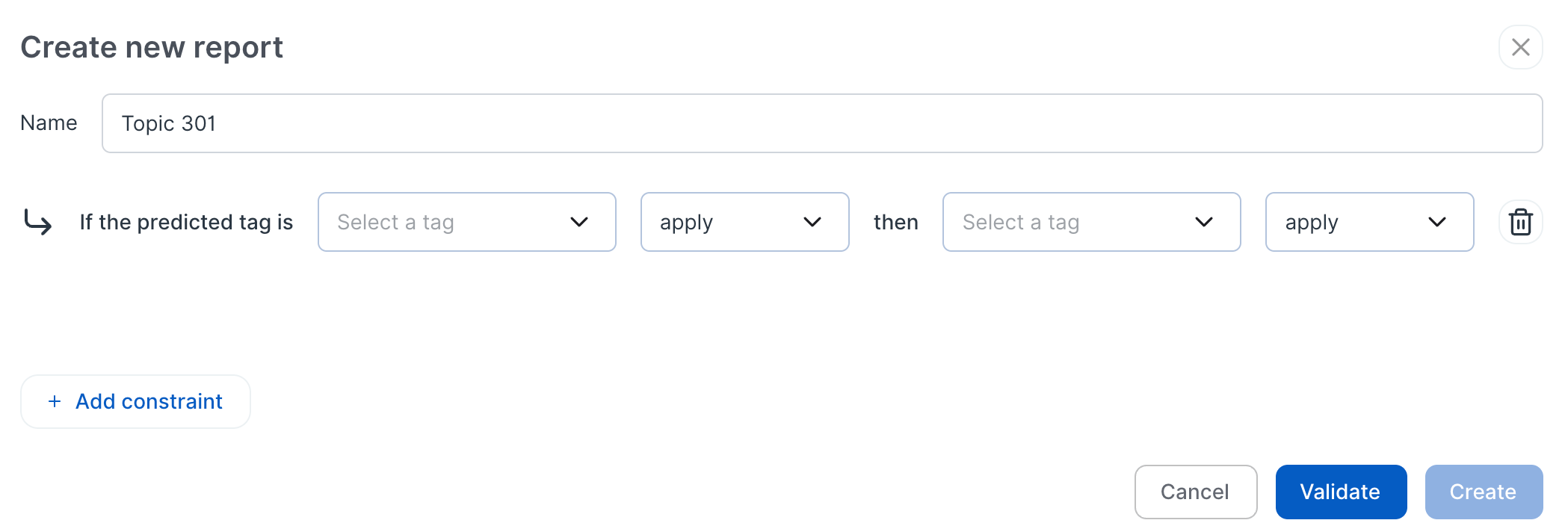
- Enter a name for the report.
- Add any constraints you need.
- For example, if Topic 301 applies, Topic 302 must also apply.
- Validate the constraints.
- Click Create.
View and download reports
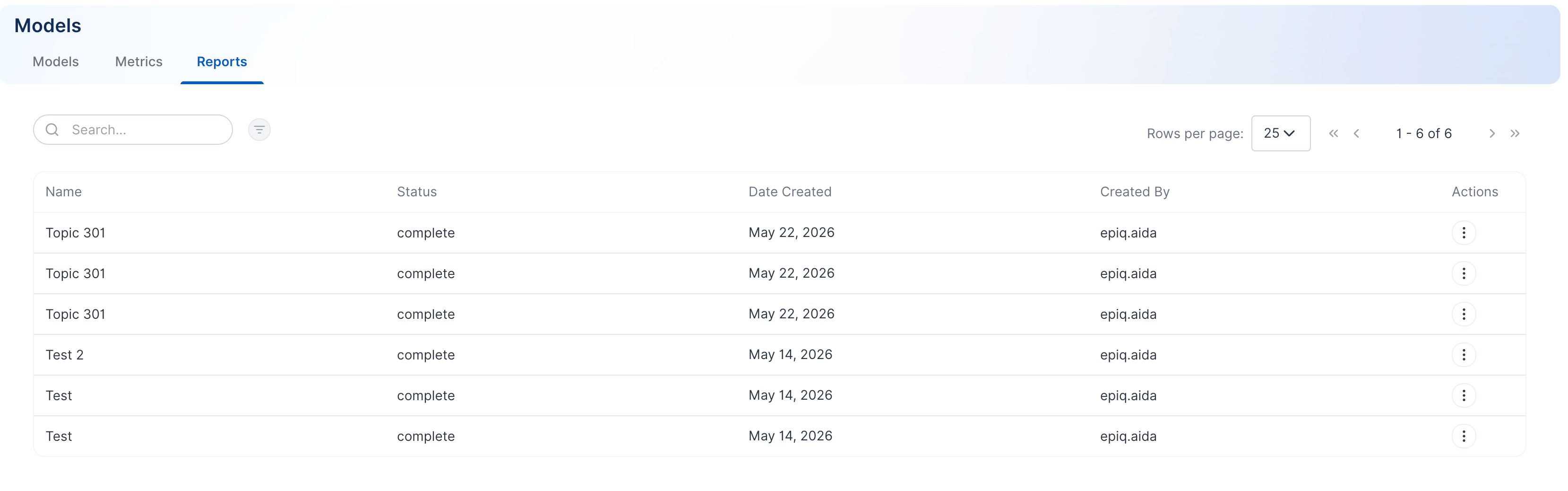
Generated reports appear on the Reports page. Open a report to review the results or download the output.