Overview
The Review Insights feature allows users to analyze and validate model-generated decisions on a document. Users can open a document, generate a Review Run, and select models to process the document, producing insights that explain model decisions.Accessing Review Insights
- Open a document view.
- Click on the Review Insights panel in the right sidebar.
- Click the Run New button to create a new Review Run.
- Select the models to run on the document. Currently, it supports two types of models, Text Classification and Text Generation.
- The system will process the document and generate insights.
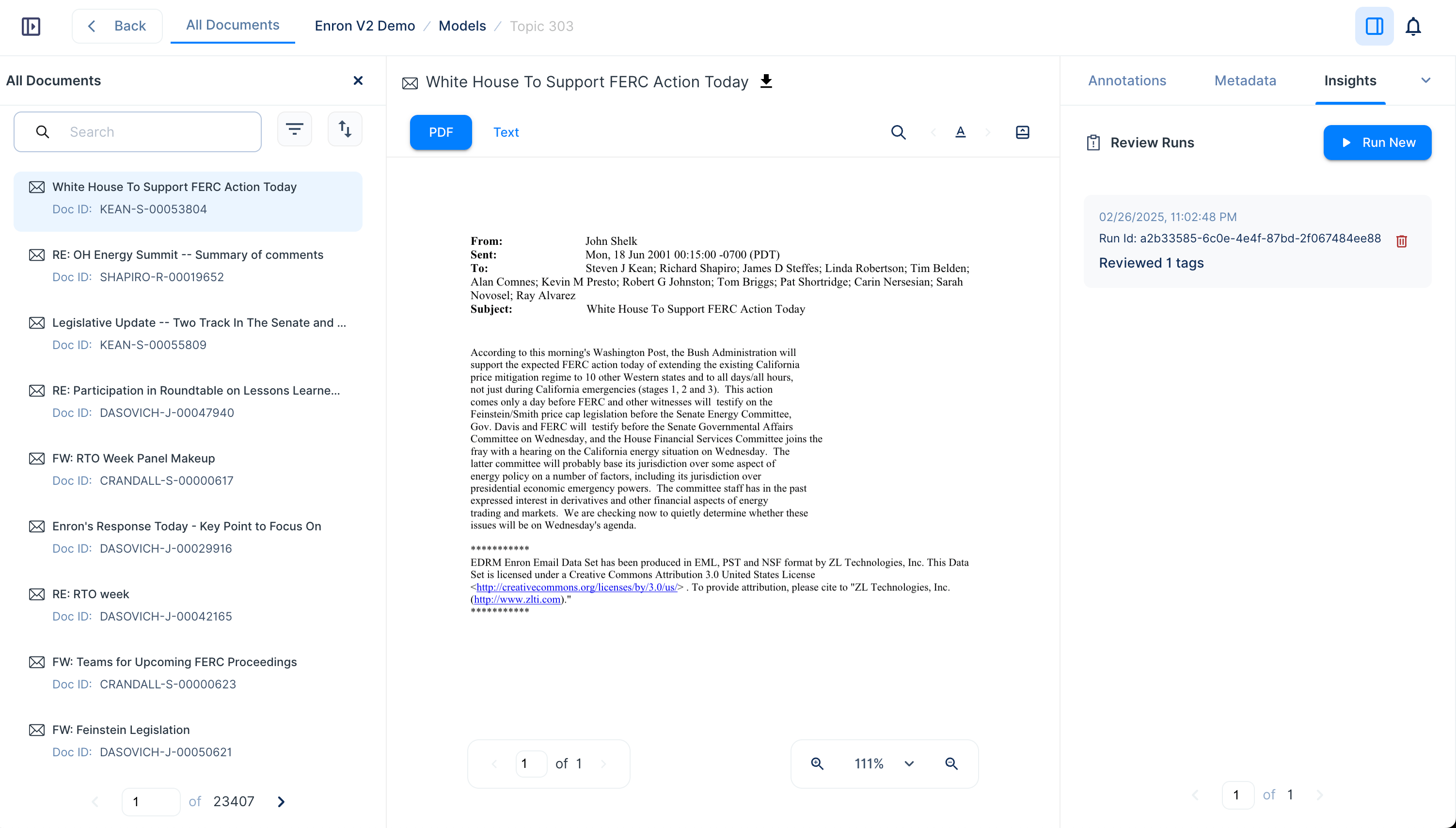
Review Insights Panel
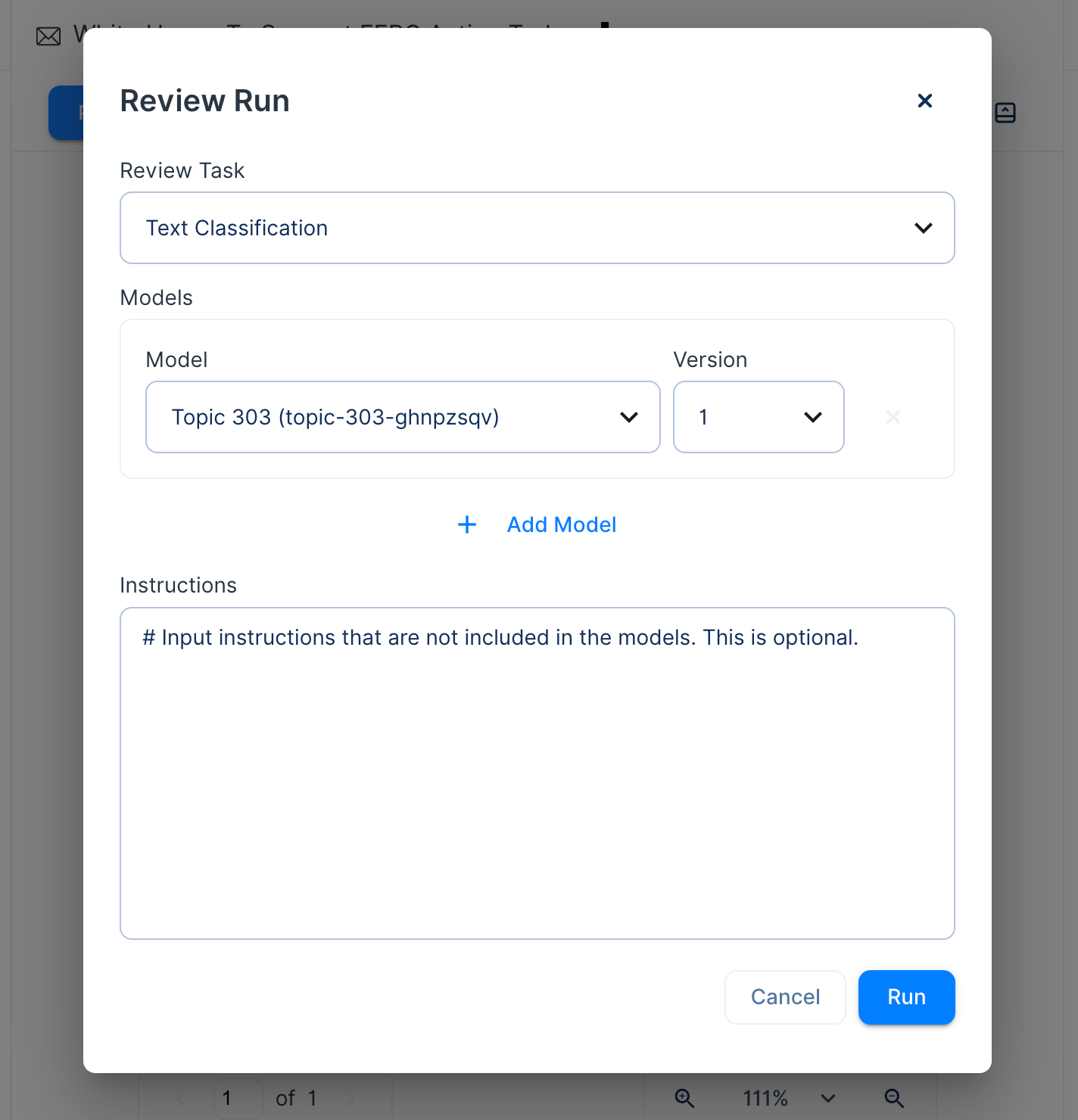
Review run configuration
Understanding Review Insights Output
Each Review Run provides structured insights into model predictions, including:- Tags: Categories or labels assigned by the model.
- Fields: Output fields defined in the model instructions.
- Explanations: Justifications for the model’s decision.
- Highlighted Text: Relevant document snippets supporting the model’s reasoning.
- Confidence Scores: A percentage indicating the model’s certainty in its decision.
- Reasoning: The model’s thinking process.
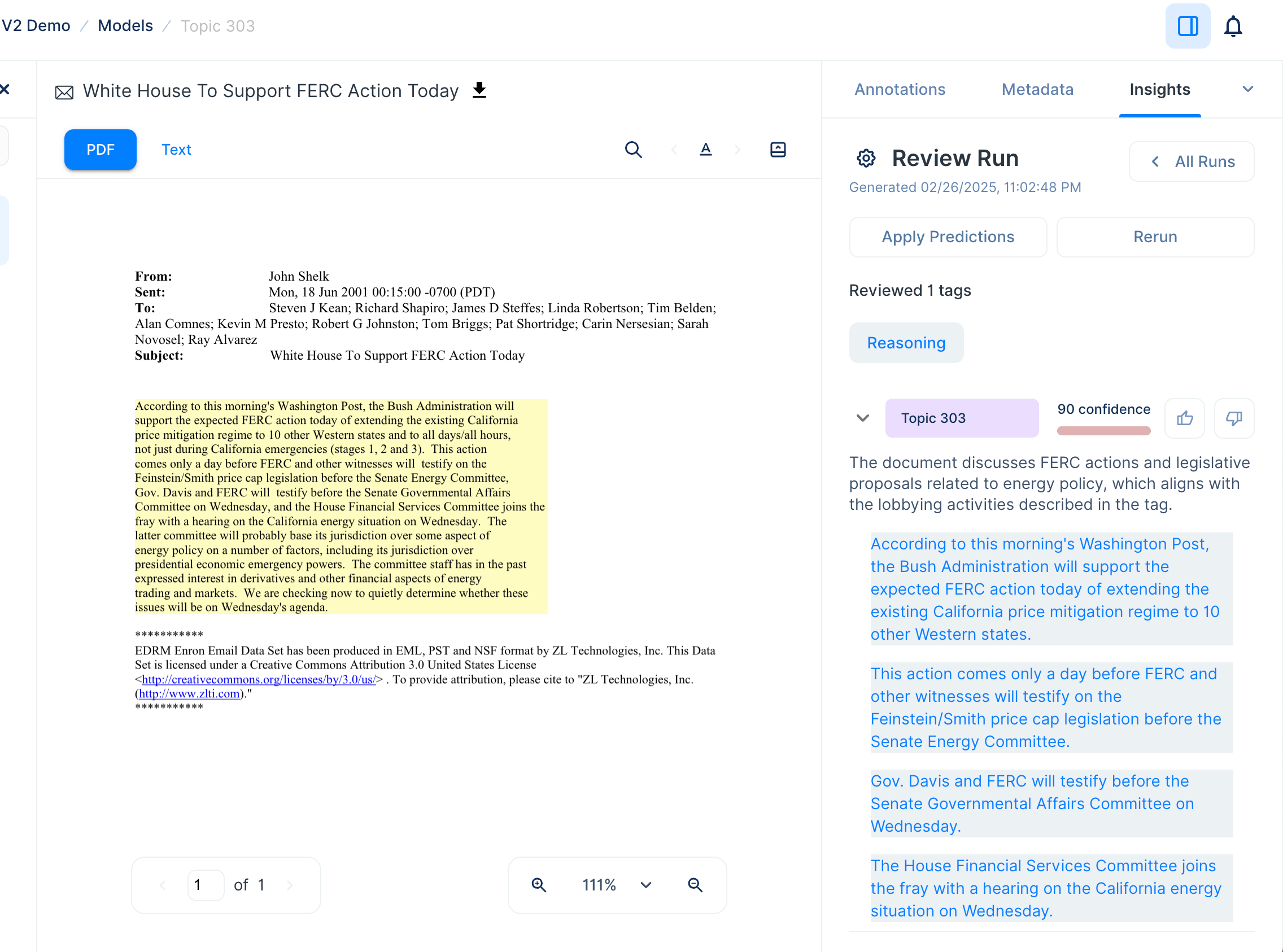
Navigating Review Insights Output
- Click on any highlighted text in the insights panel to locate and view the corresponding snippet in the document.
- Users can provide feedback by clicking thumbs up or thumbs down to indicate the accuracy of the model’s decision.
- Insights can be re-run using different models or configurations by selecting Rerun.