V1 to V2: What Changed and Where to Find It
This page walks you through what changed from V1 to V2 and provides screenshot comparisons. It also shows you where you can find new V2 features.:house: Home Page and Navigation
What changed
- Updated visual design
- Breadcrumbs added to Home page for location awareness
- AI Chat renamed to Ask AI
- Account-level toggle moved above Ask AI
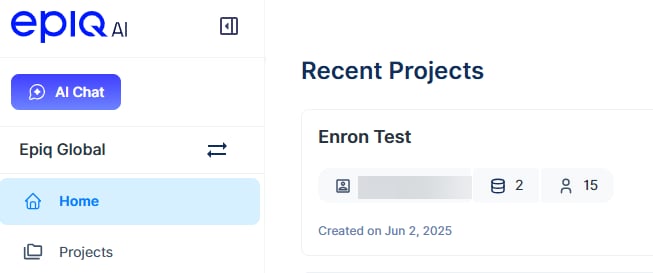
V1 Home Page
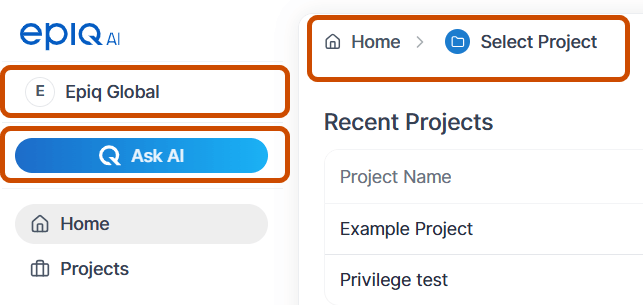
V2 Home Page
Ask AI Updates
- Streamlined the functionality and UX of Ask AI.
- Answer and Sources tabs in the response.
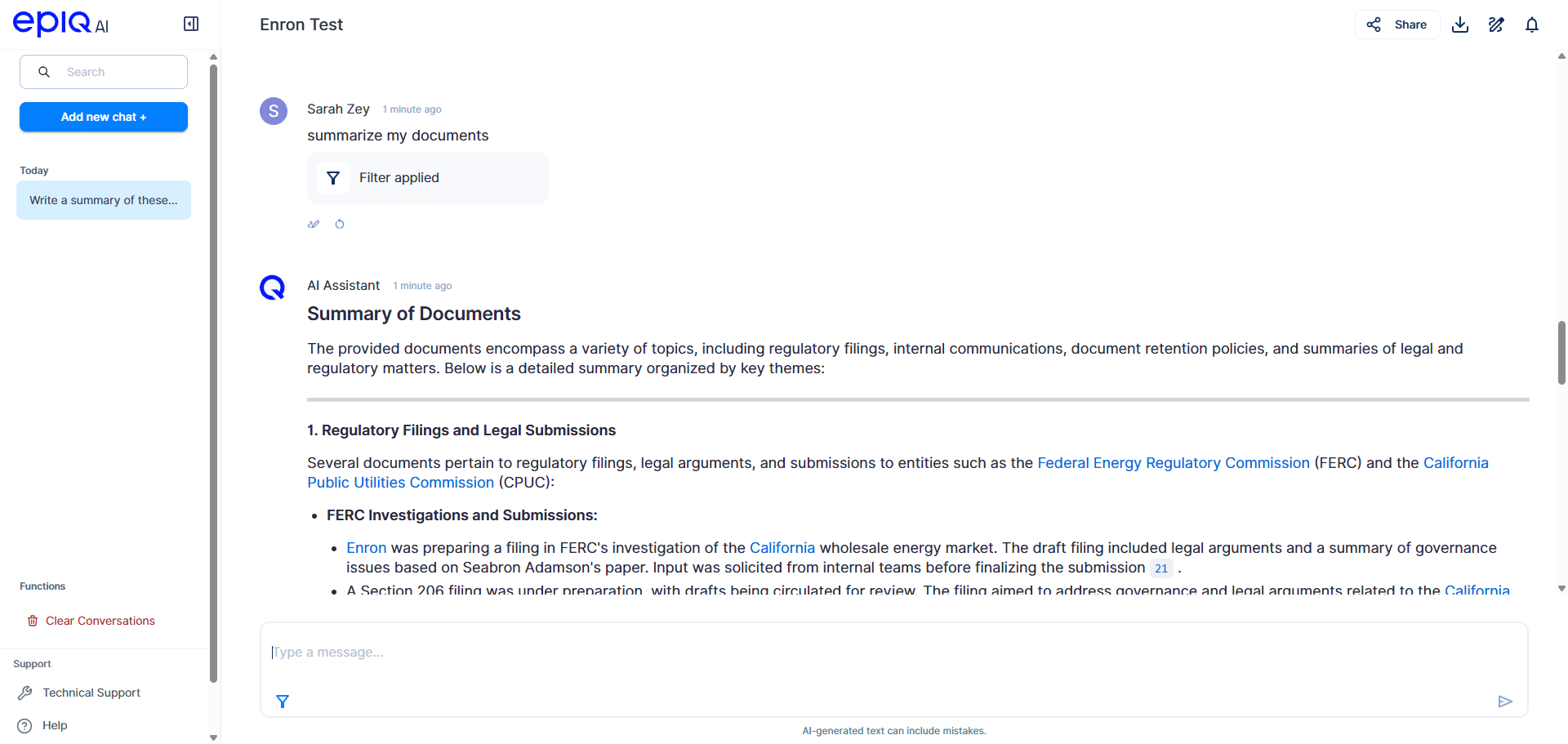
V1 AI Chat
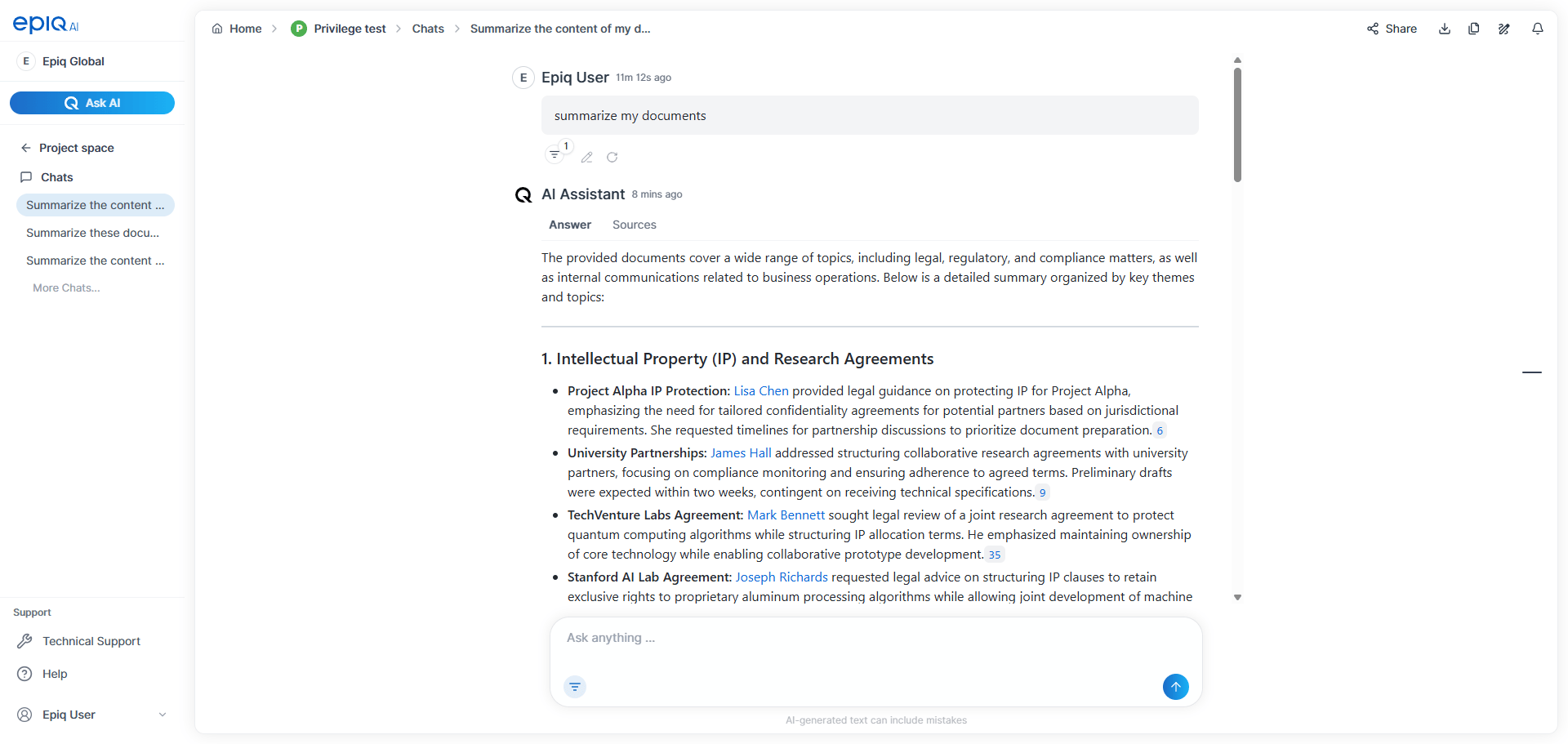
V2 Ask AI
:suitcase: Projects → :house: Project space
What changed
- In V1, selecting a project opened directly to the project’s Collections page.
- In V2, selecting a project opens it to its Project space, which is centered around Ask AI.
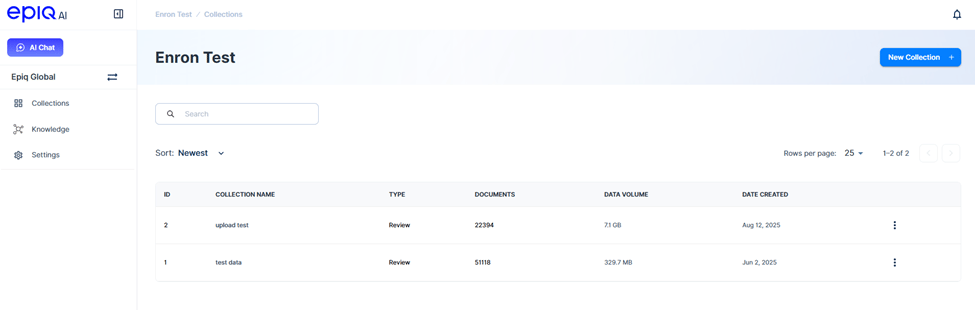
V1 Project to Collections page
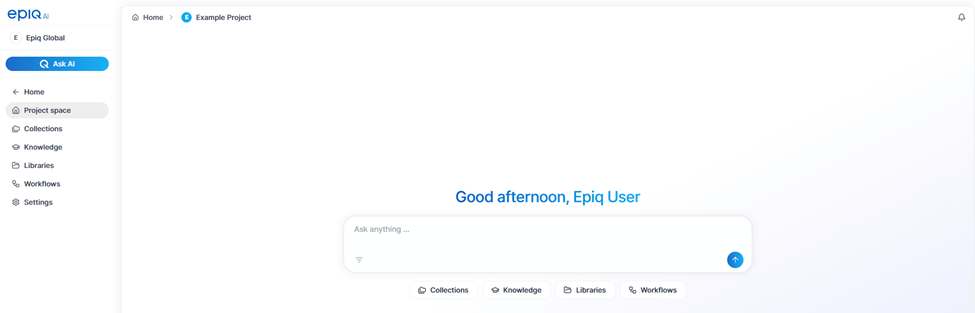
V2 Project space
:graduation-cap: Knowledge (Persons and Organizations)
What changed
- Added metadata fields to both Persons and Organizations in the Knowledge layer.
Persons
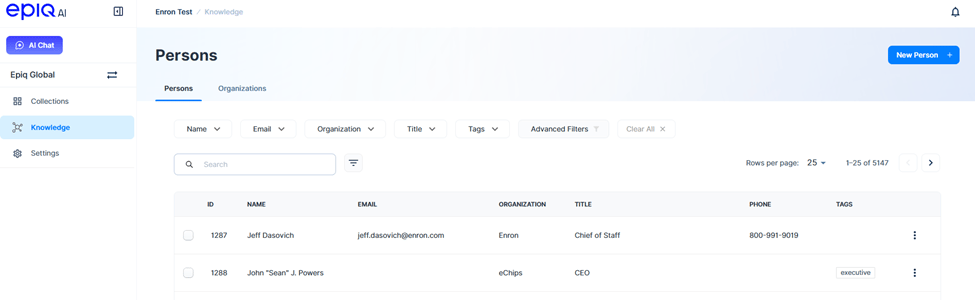
V1 Persons page
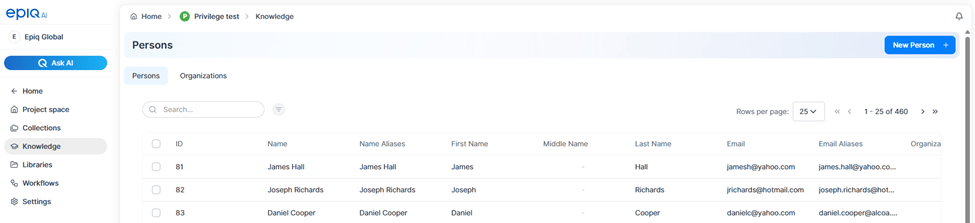
V2 Persons page
| V1 Persons Metadata | V2 Persons Metadata |
|---|---|
| ID | ID |
| Name | Name |
| Name Aliases | |
| Organization | First Name |
| Title | Middle Name |
| Phone | Last Name |
| Tags | |
| Email Aliases | |
| Organization | |
| Title | |
| Start Date | |
| End Date | |
| Tags | |
| Reviewer Id | |
| Comment | |
| Date Updated |
Organizations
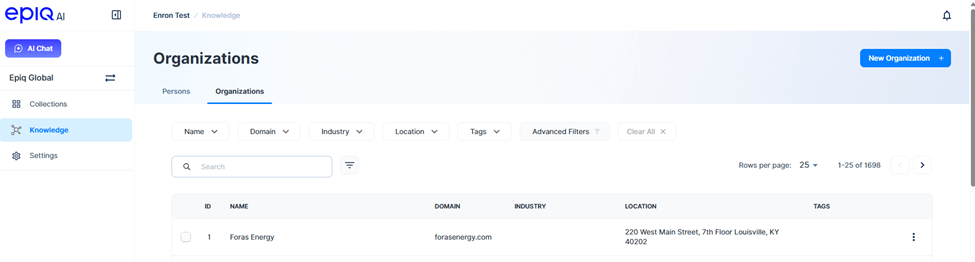
V1 Organizations page
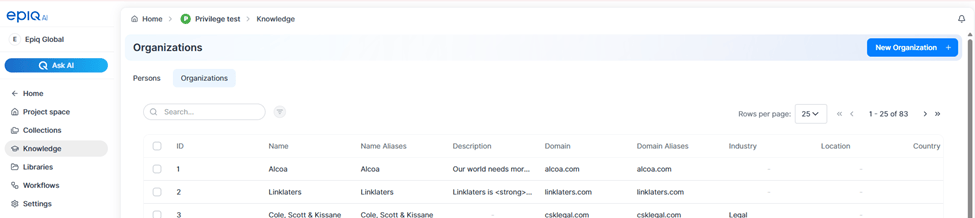
V2 Organizations page
| V1 Organizations Metadata | V2 Organizations Metadata |
|---|---|
| ID | ID |
| Name | Name |
| Domain | Name Aliases |
| Industry | Description |
| Location | Domain |
| Tags | Domain Aliases |
| Industry | |
| Location | |
| Country | |
| State | |
| City | |
| Tags | |
| Reviewer Id | |
| Comment | |
| Date Updated |
New in V2: :folder-open: Libraries
Libraries are a new project-level feature that allow you to organize and manage reusable content within a project. Libraries appear in the Project space and can be accessed alongside Collections and Workflows.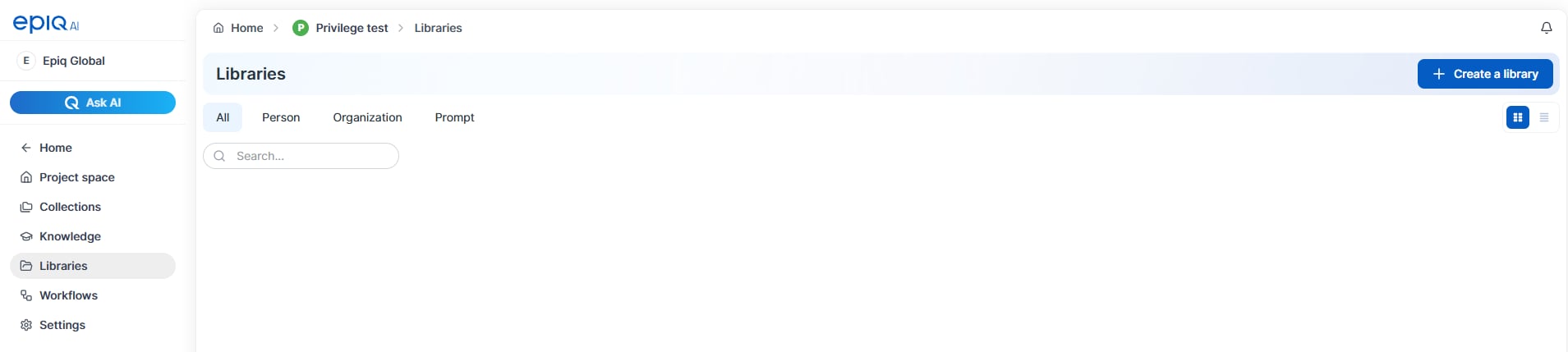
V2 Libraries
Libraries
New in V2: :diagram-nested: Workflows
Workflows are a new feature in v2 that enable configurable, AI‑powered processes within a project. Workflows allow teams to run repeatable operations, such as metadata extraction, entity processing, and privilege review, using predefined or customized workflow templates. Workflows can be accessed at the Project level to view all workflows in a project, or from within a Collection to work with collection‑specific workflows.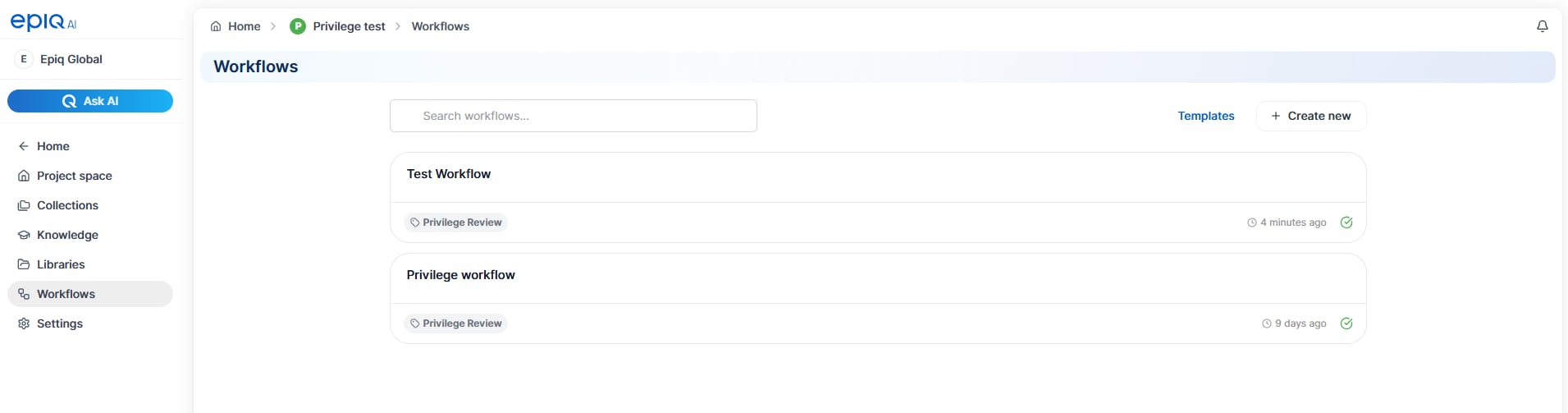
V2 Workflows
Workflows
New in V2: Background Jobs
Background Jobs is a new tab in Project Settings that lists project operations running behind the scenes. It helps you monitor job status in one place and lets you stop active jobs or remove completed and failed jobs when needed.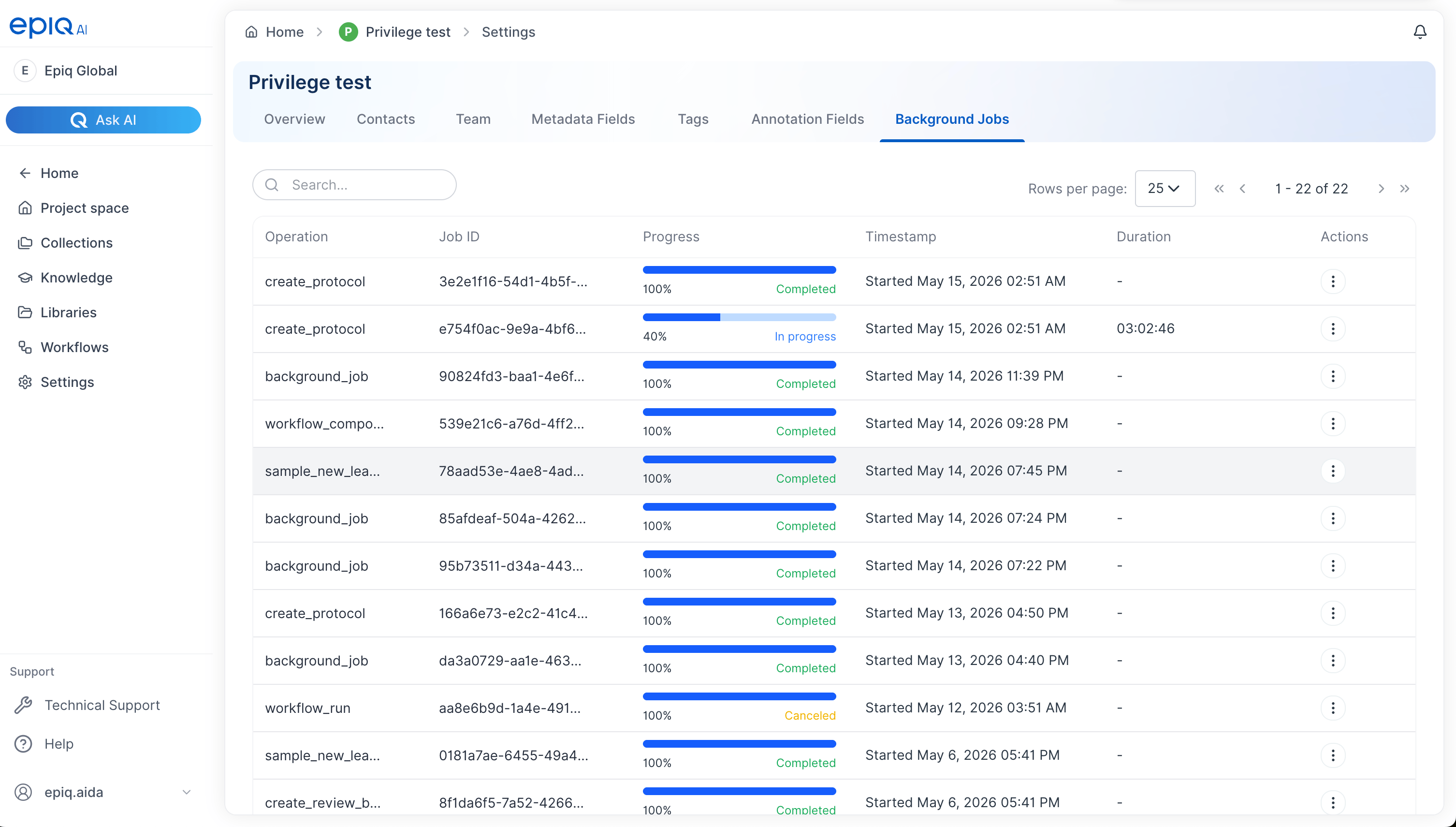
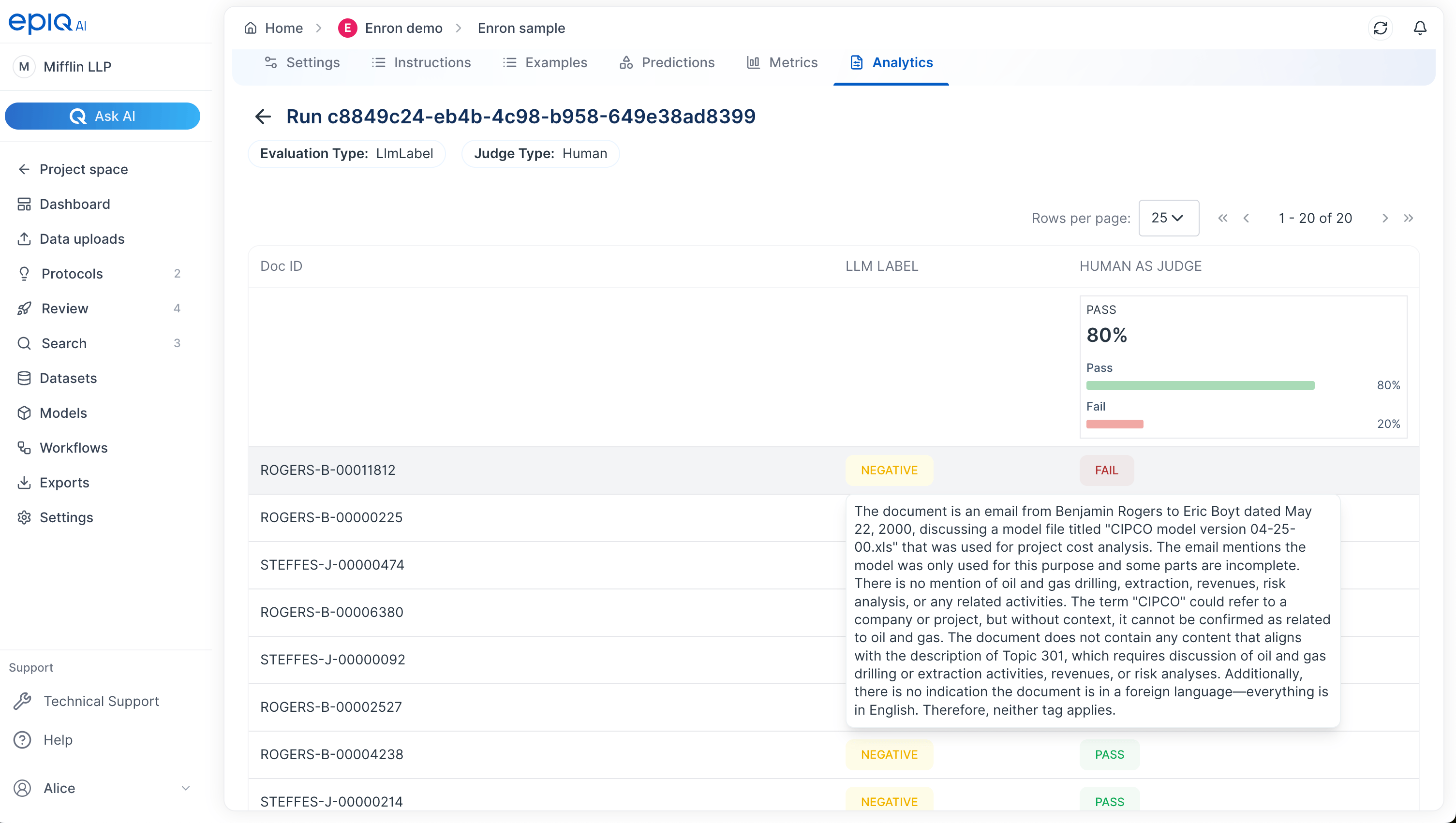
New in V2: Model Metrics
Model Metrics is a new page that helps you evaluate model performance in one place. You can review threshold recommendations, inspect prediction results, and use evaluation insights to better understand model behavior.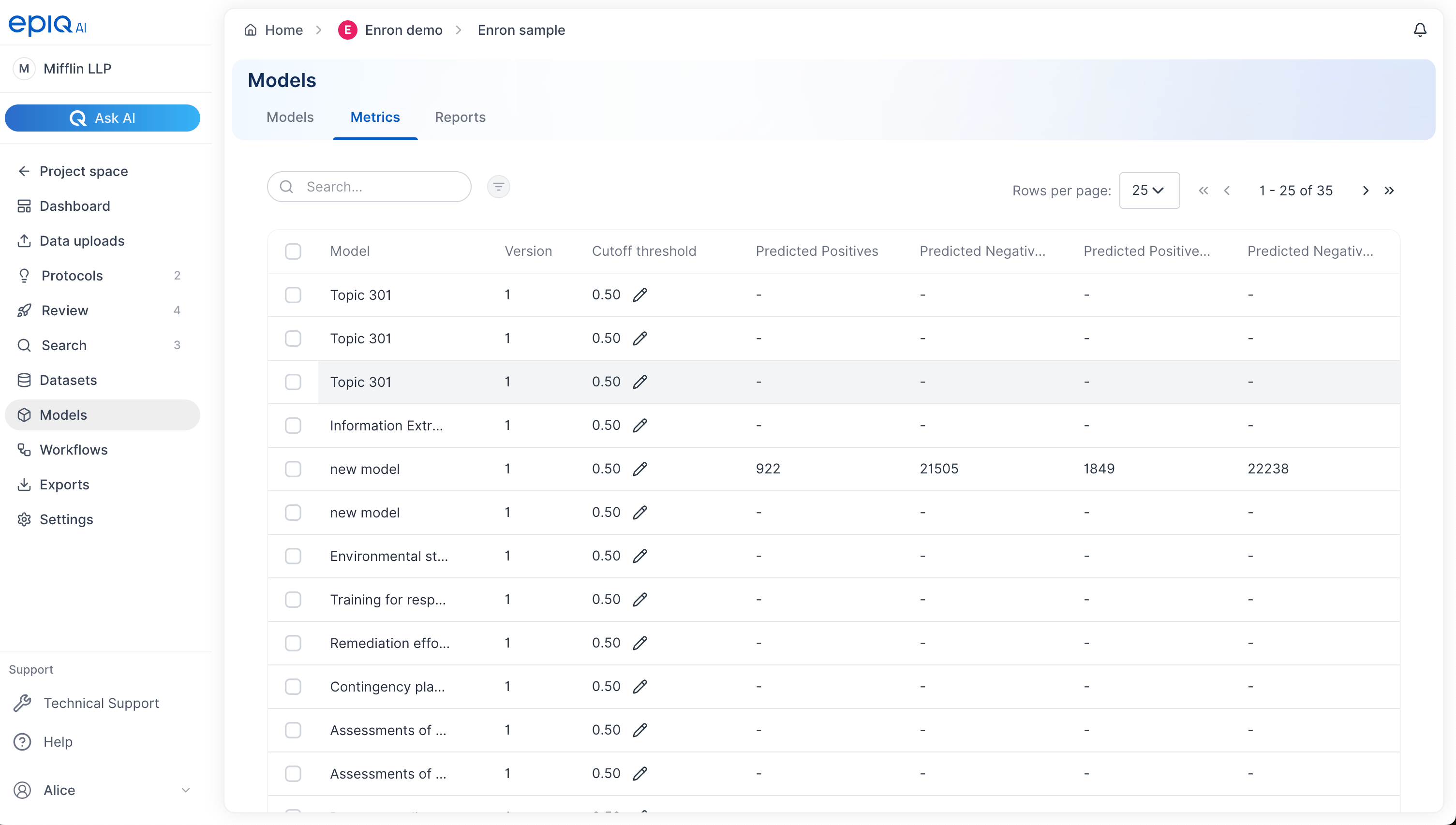
:rocket: Review
What changed- Review navigation updated to include a tabbed view
- Default view switched to table format
- New controls for dynamic learning and task sampling
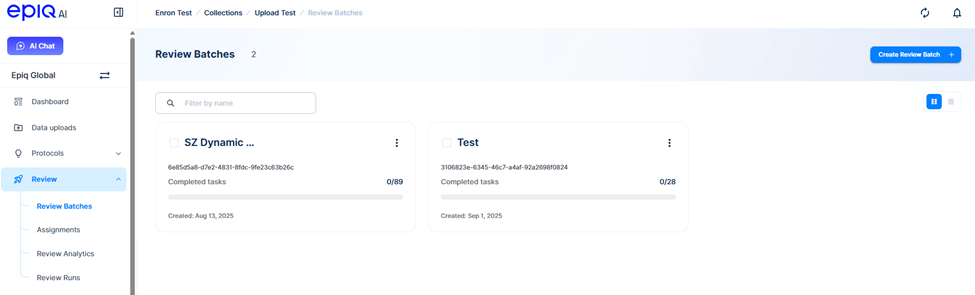
V1 Review Batches page
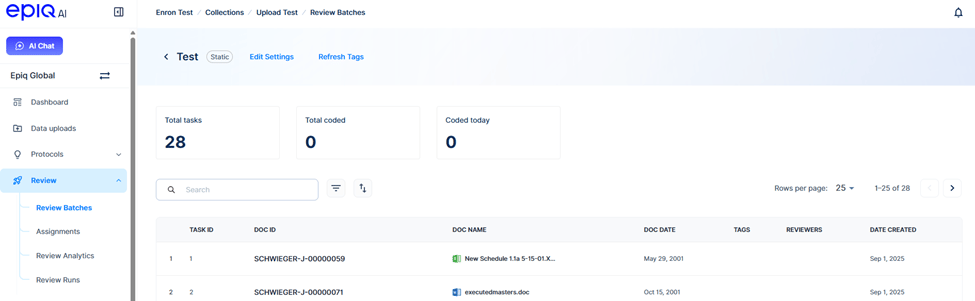
V1 Review Batch page
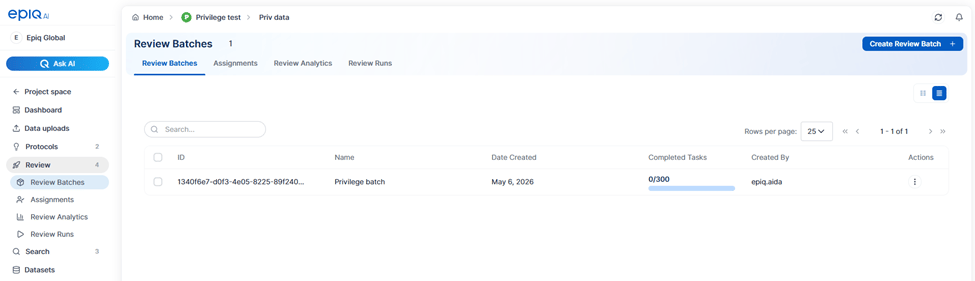
V2 Review Batches page
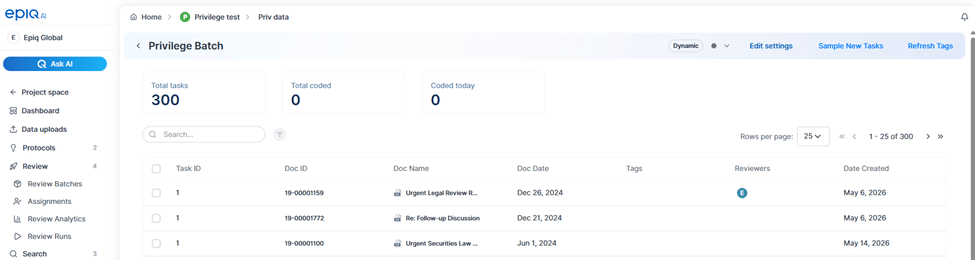
V2 Review Batch page
:gear: Settings
What changed in Project Settings- Custodians removed.
- Fields renamed to Metadata Fields.
- New tabs for Tags, Annotation Fields, and Background Jobs.
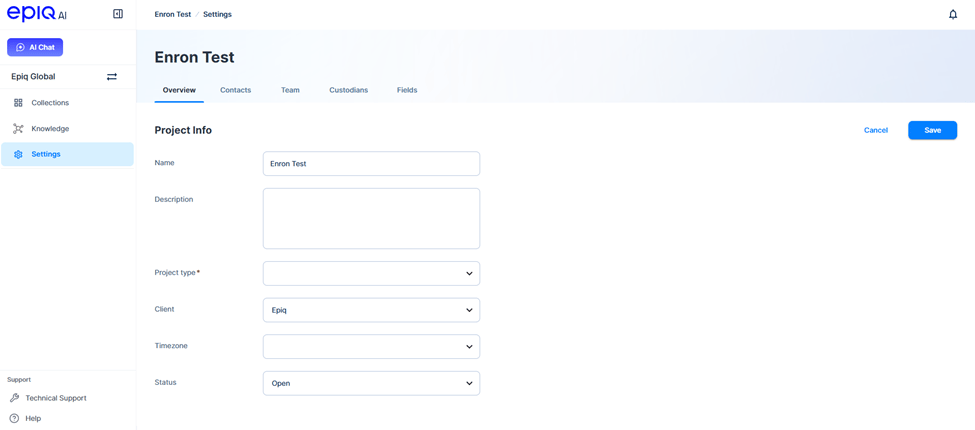
V1 Project Settings
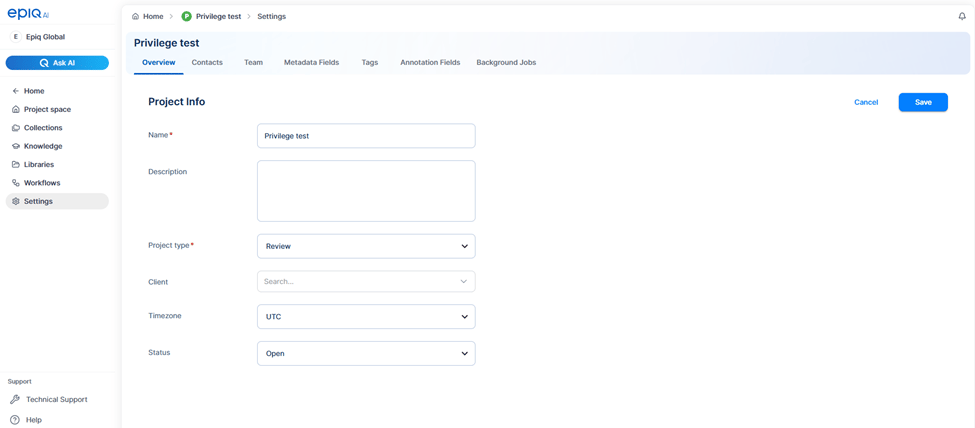
V2 Project Settings
- Fields tab renamed to Annotation Fields.
- Ability to create tagging panels from Tags and Annotations Fields tabs.
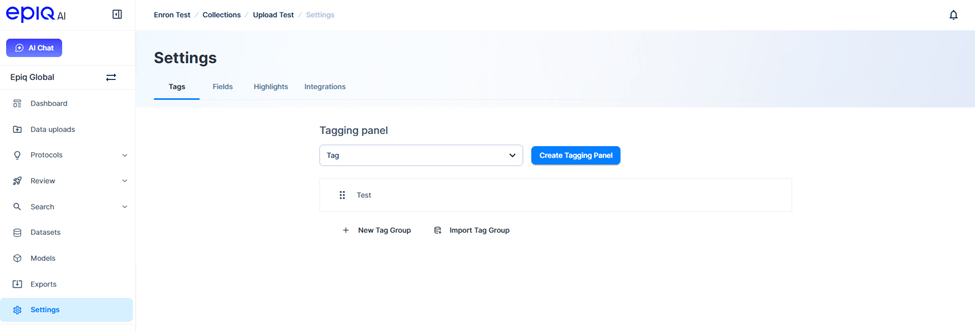
V1 Collection Settings
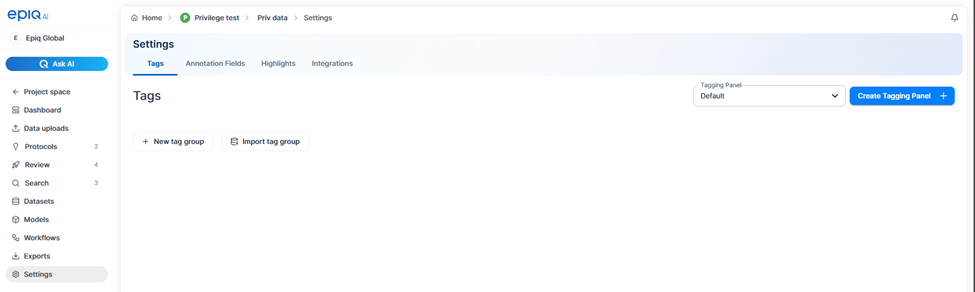
V2 Collection Settings