How to use Chat Q&A
To start using the Chat Q&A feature, click on theAI Assistant icon in the top left of the window:
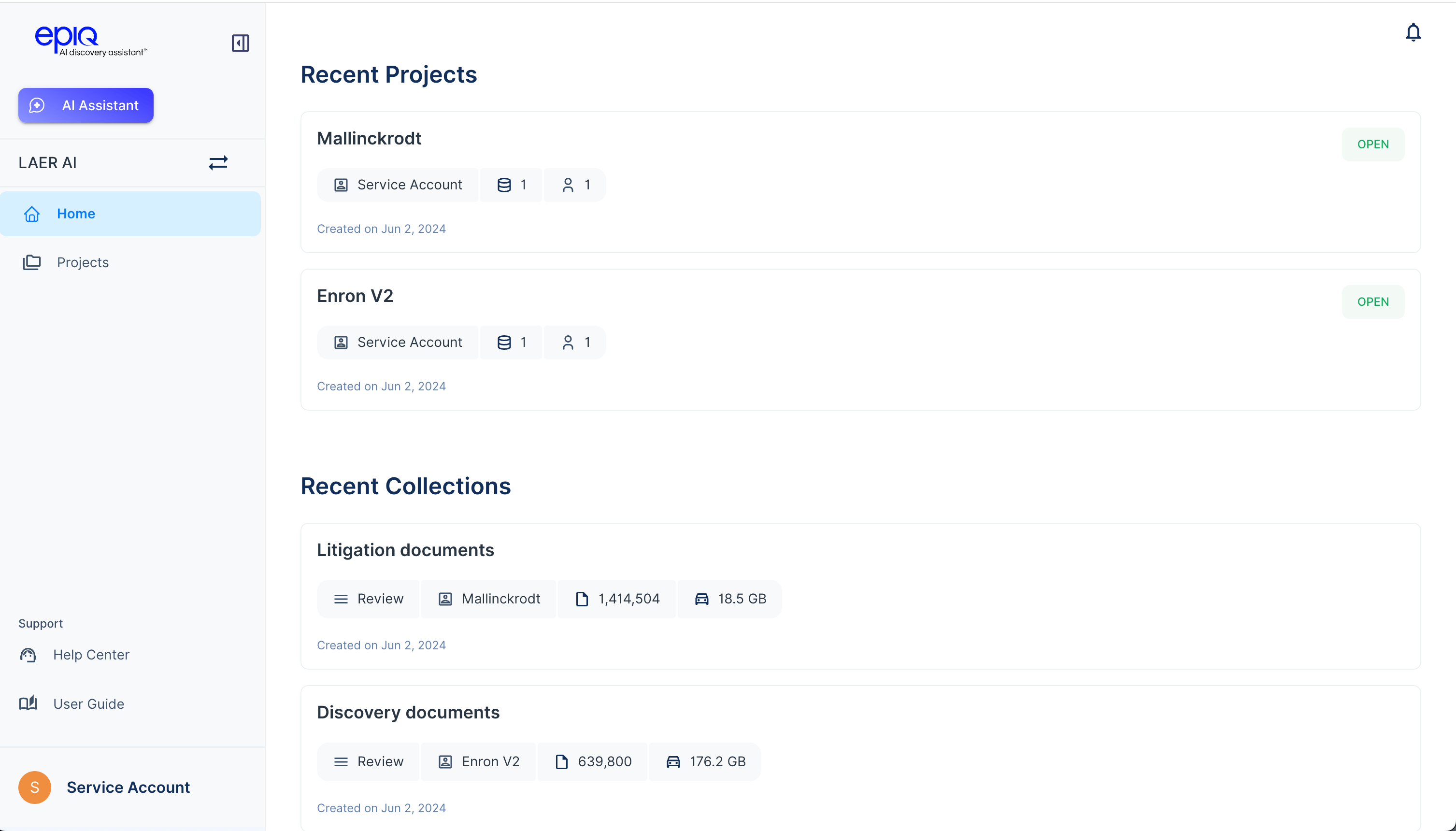
1. Ask a question
- Enter a clear, specific question about your case.
- Examples:
- “Who is the CFO of Enron?”
- “What is Andrew Fastow’s role in the LJM partnerships?
- “Did anyone raise concerns about the transparency of the SPE transactions?”
2. View the answer
- The response will appear as a natural-language summary, with one or more document citations.
- Each citation includes:
- Document title or ID
- Highlighted text snippet from the original source
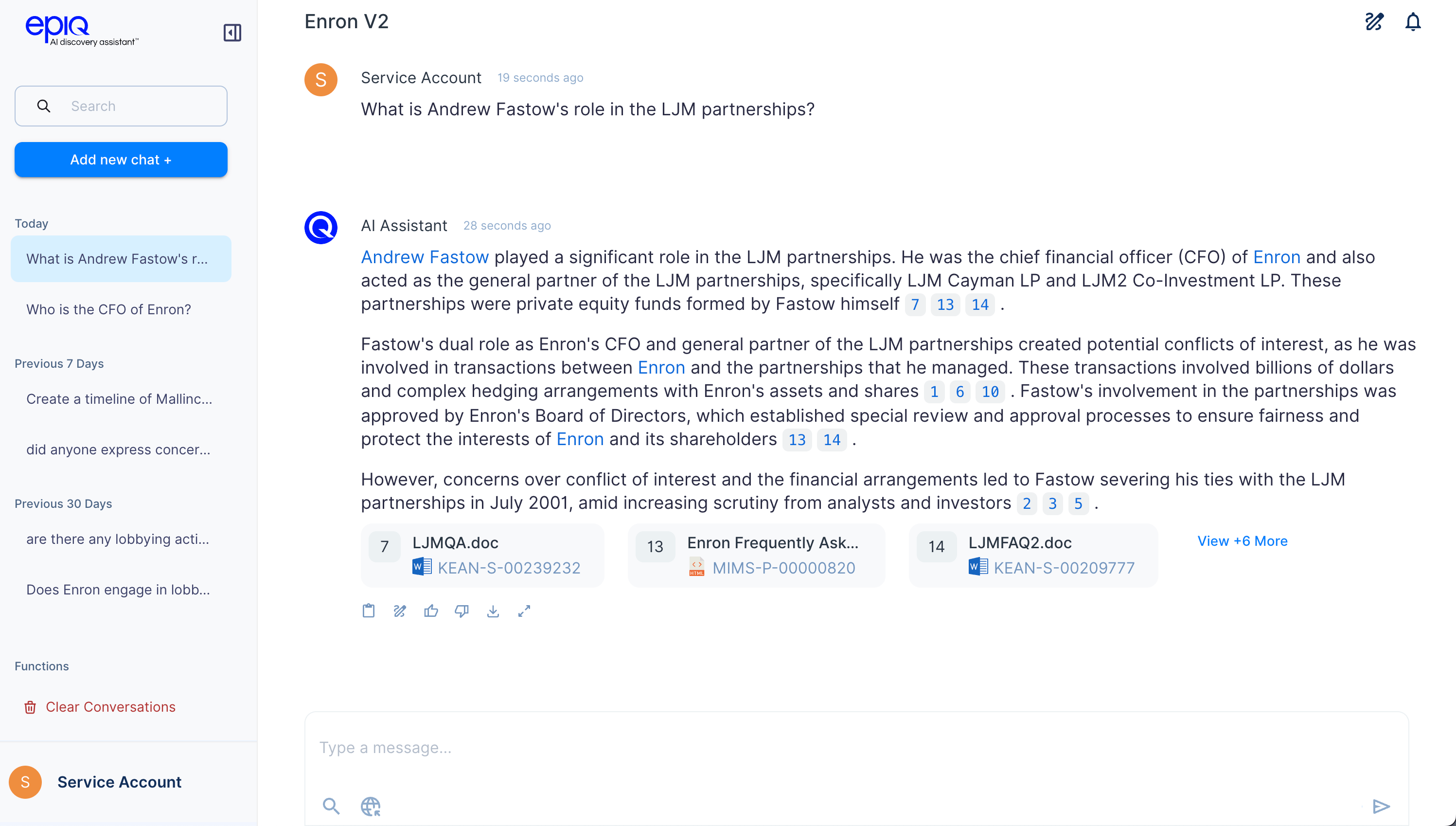
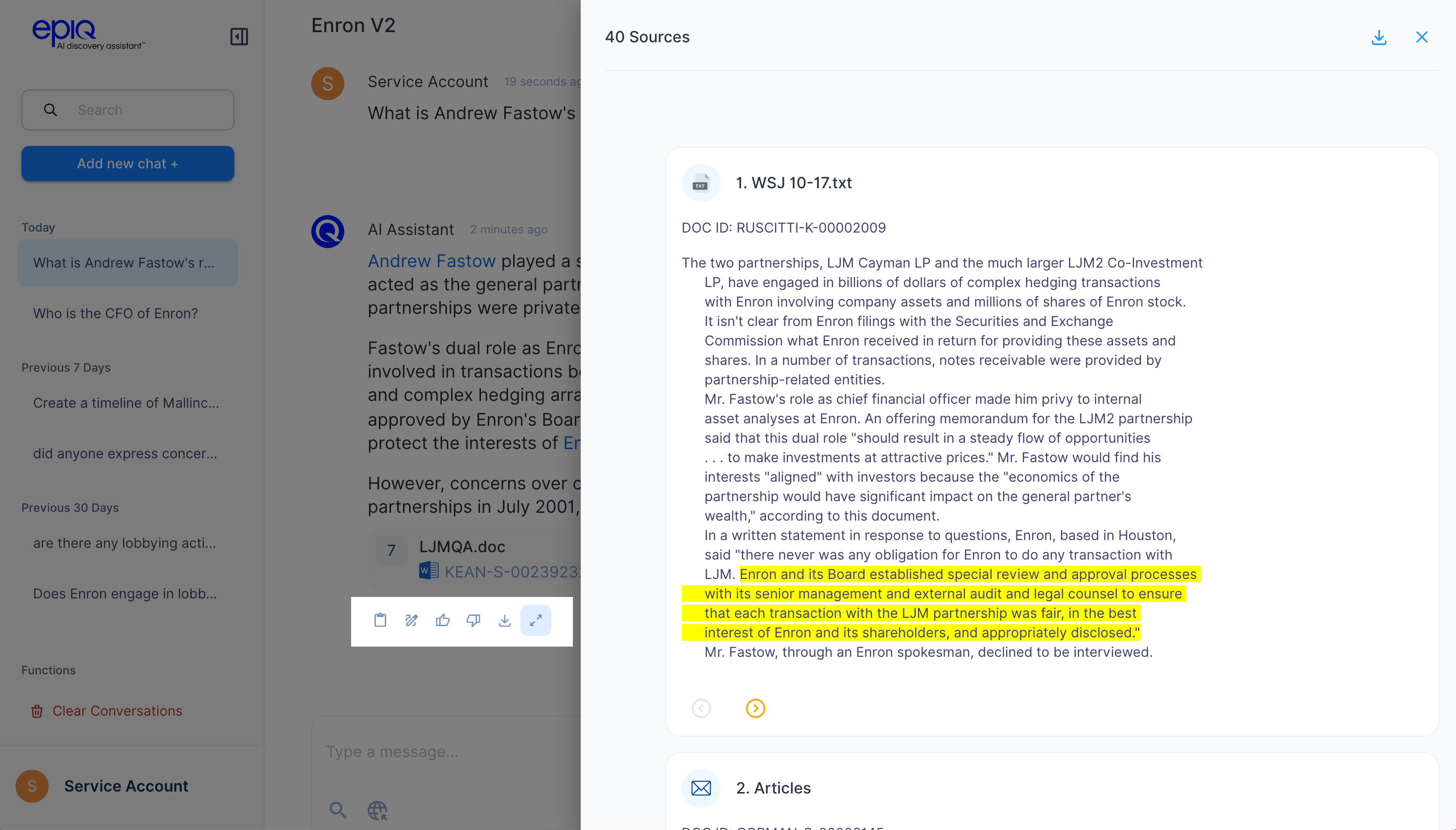
3. Expand to view more
- Click the expansion icon at the end of the response to see additional relevant documents related to your question.
- This helps in deeper exploration or validation.
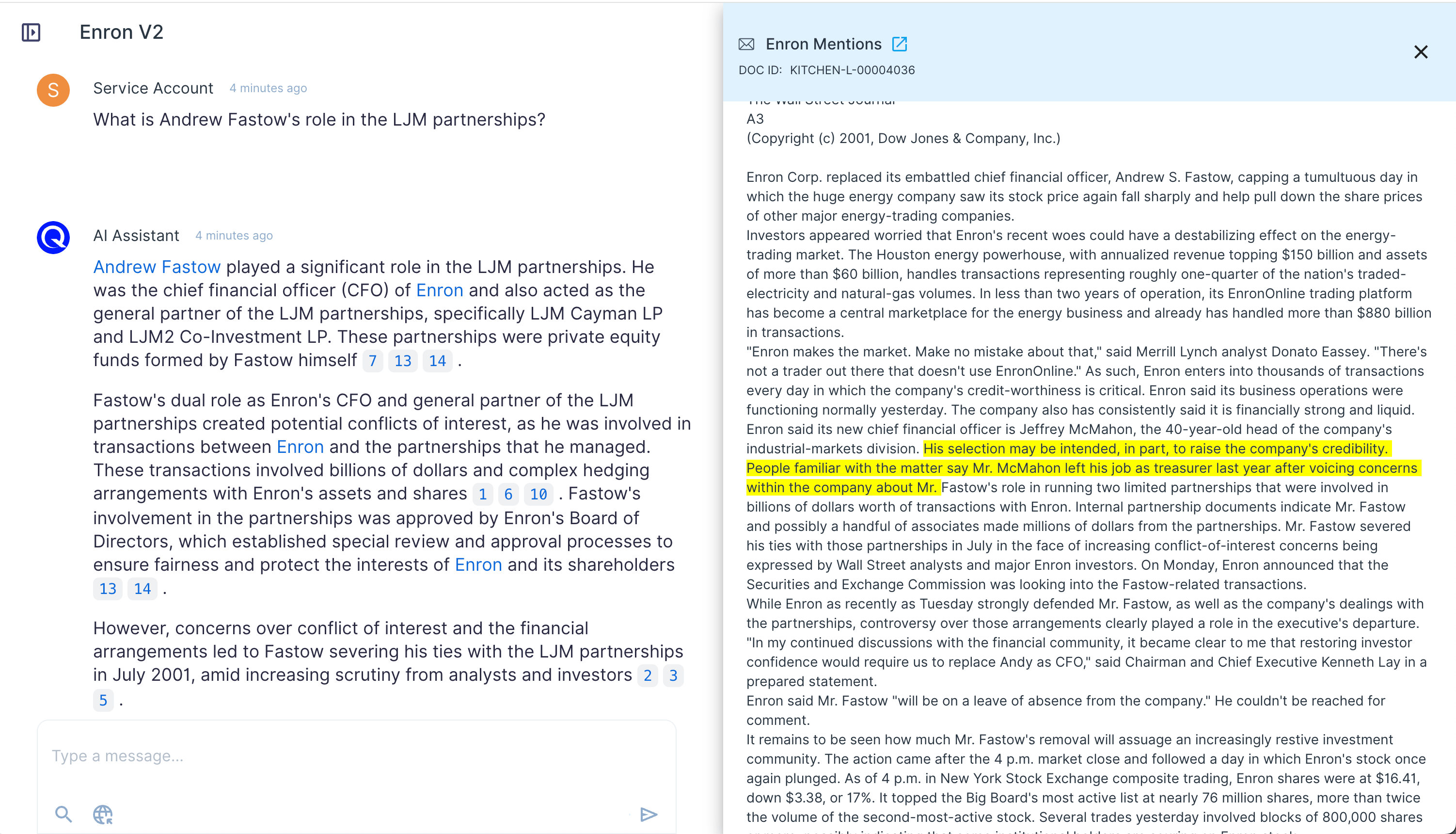
4. Trace back to source
- Click any citation to open the full document at the highlighted section where the information was found.
Narrow the search scope with filters
You can focus your question on a specific set of documents by applying search filters (e.g., custodian, date range, source). This helps the system retrieve more precise context and improves answer relevance — especially in large document sets.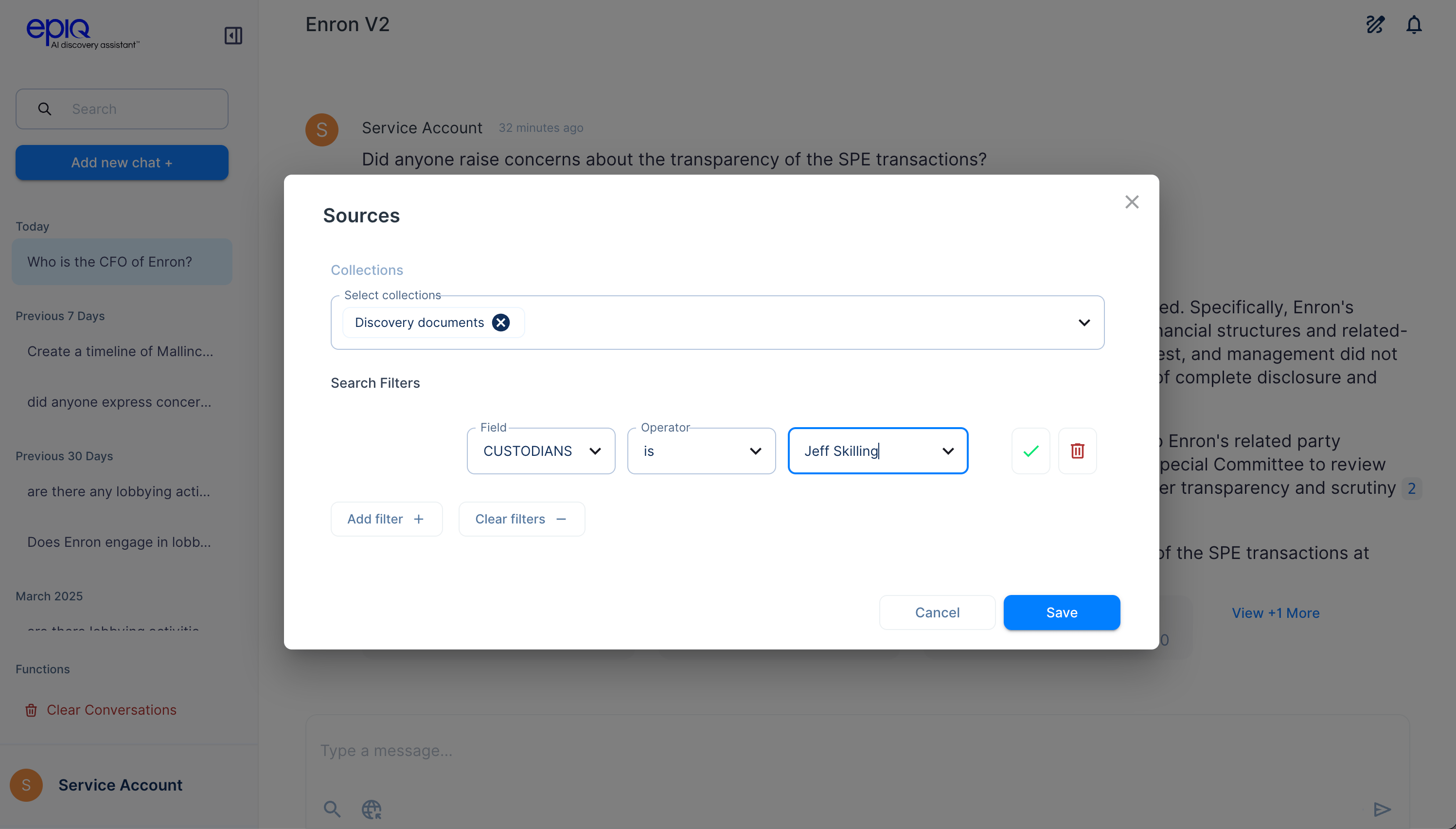
What does document DOC-1234 say about insider trading?