> ## Documentation Index
> Fetch the complete documentation index at: https://labs.laer.ai/llms.txt
> Use this file to discover all available pages before exploring further.
# Chat LLM Setup
There are two ways to set up the Chat LLM. You can host it on-premises on a GPU instance or you can use a Chat LLM through an external API such as OpenAI.
Below is the system diagram that shows how AIDA interacts with the Chat LLM.
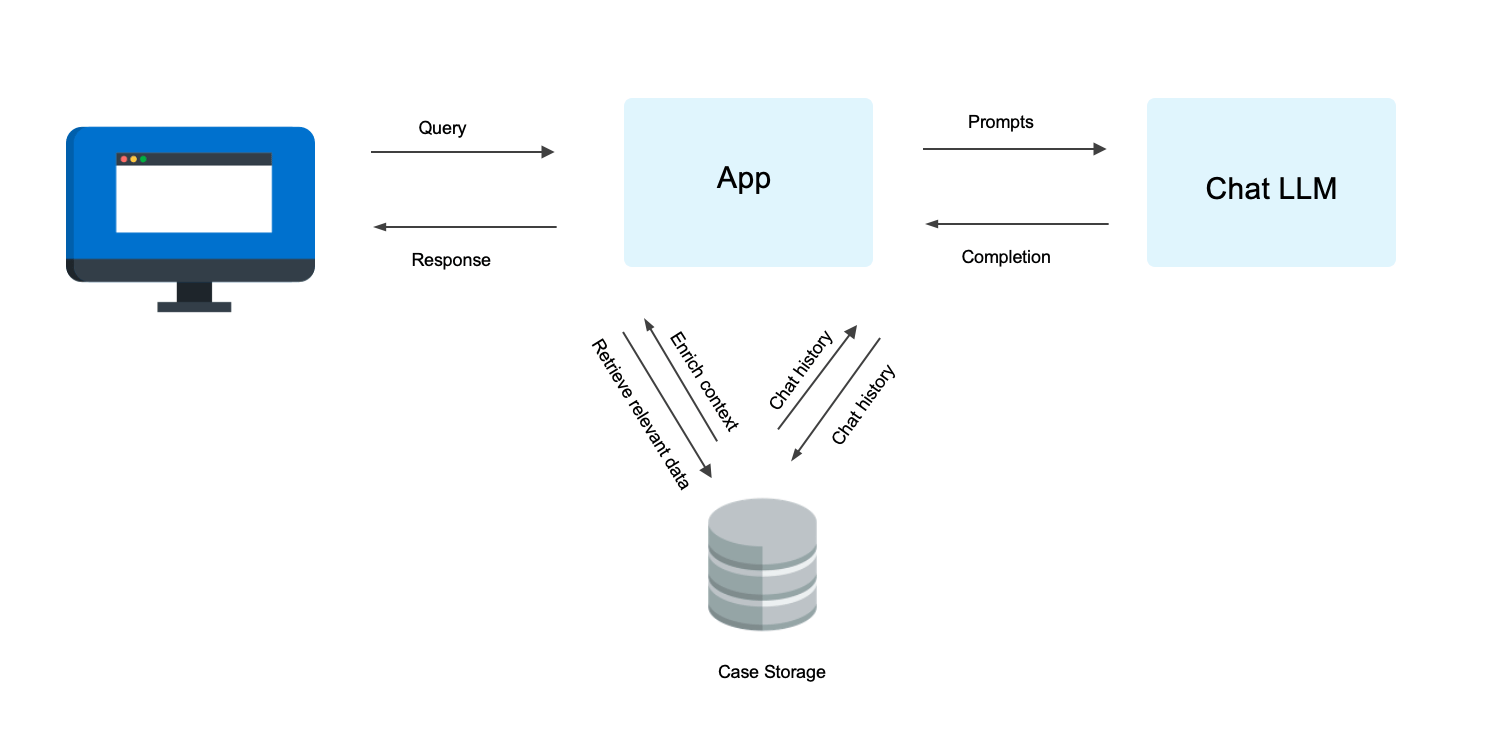 ### Hosting Requirements
For optimal performance and reliability, ensure your hosting environment meets the following conditions:
* **GPU Memory**: At least 160GB of GPU memory is required for hosting Llama 70B.
* **Networking**: If hosting on-premises, ensure the App container can communicate with the Chat LLM, through internal IPs via HTTP requests.
### API Config
The Chat API can be configured in `apis.config`.
AIDA supports both self-hosted and external Chat LLM APIs, such as Azure OpenAI, Claude, and Gemini.
Provide the endpoint and API token in the following format:
```
[
{
"api_endpoint": "https://",
"api_key": "your_api_token_here",
"name": "Self-hosted API"
},
{
"api_endpoint": "https://",
"api_key": "your_api_token_here",
"name": "External API"
}
]
```
### Hosting Requirements
For optimal performance and reliability, ensure your hosting environment meets the following conditions:
* **GPU Memory**: At least 160GB of GPU memory is required for hosting Llama 70B.
* **Networking**: If hosting on-premises, ensure the App container can communicate with the Chat LLM, through internal IPs via HTTP requests.
### API Config
The Chat API can be configured in `apis.config`.
AIDA supports both self-hosted and external Chat LLM APIs, such as Azure OpenAI, Claude, and Gemini.
Provide the endpoint and API token in the following format:
```
[
{
"api_endpoint": "https://",
"api_key": "your_api_token_here",
"name": "Self-hosted API"
},
{
"api_endpoint": "https://",
"api_key": "your_api_token_here",
"name": "External API"
}
]
```