> ## Documentation Index
> Fetch the complete documentation index at: https://labs.laer.ai/llms.txt
> Use this file to discover all available pages before exploring further.
# Manage user licenses
Admins can assign and release Discovery licenses for users to access the chat feature.
## Assign licenses
To allow a user to access the chat feature, you must assign them a Discovery license.
* Navigate to the Admin portal
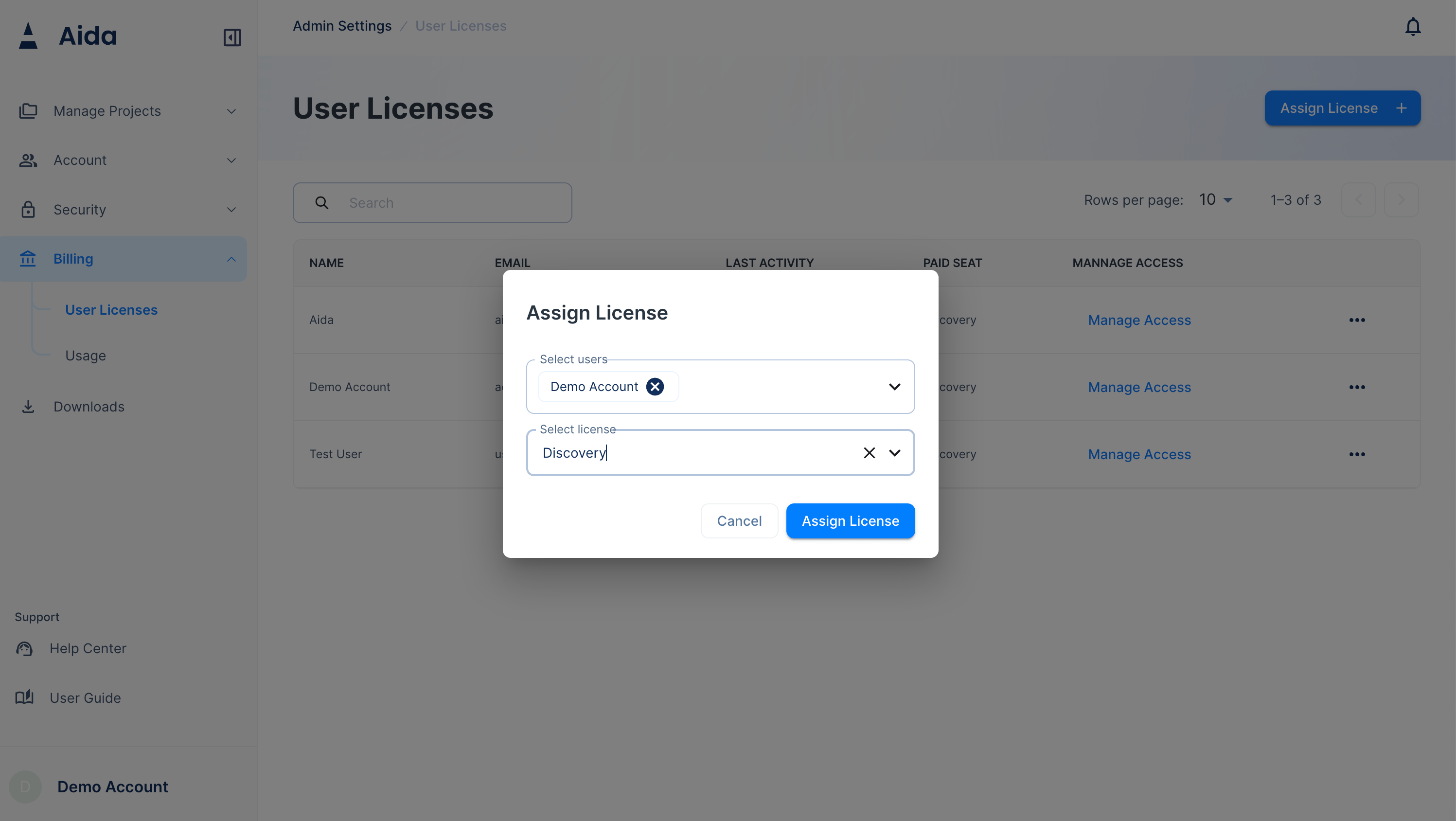
* Navigate to `Billing` -> `User Licenses`
* Click `Assign License`
* Select users and select license type from the dropdown menu, choose the `Discovery` license.
* Click `Confirm`
 ## Release licenses
* Navigate to the Admin portal
* Navigate to `Billing` -> `User Licenses`
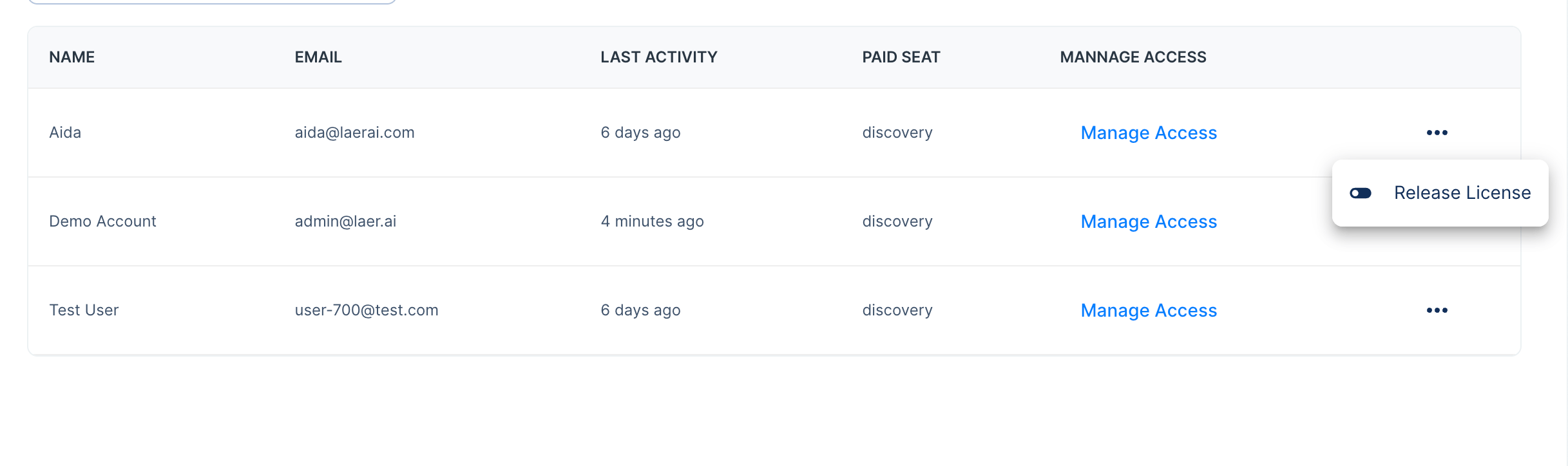
* Click on the user menu icon
* Click `Release License`
* Click `Confirm`
## Release licenses
* Navigate to the Admin portal
* Navigate to `Billing` -> `User Licenses`
* Click on the user menu icon
* Click `Release License`
* Click `Confirm`