> ## Documentation Index
> Fetch the complete documentation index at: https://labs.laer.ai/llms.txt
> Use this file to discover all available pages before exploring further.
# Assign projects to users
Admin users can manage users' access to projects by adding or removing projects from user's project access.
1. On the Admin Settings page, click the Users tab.
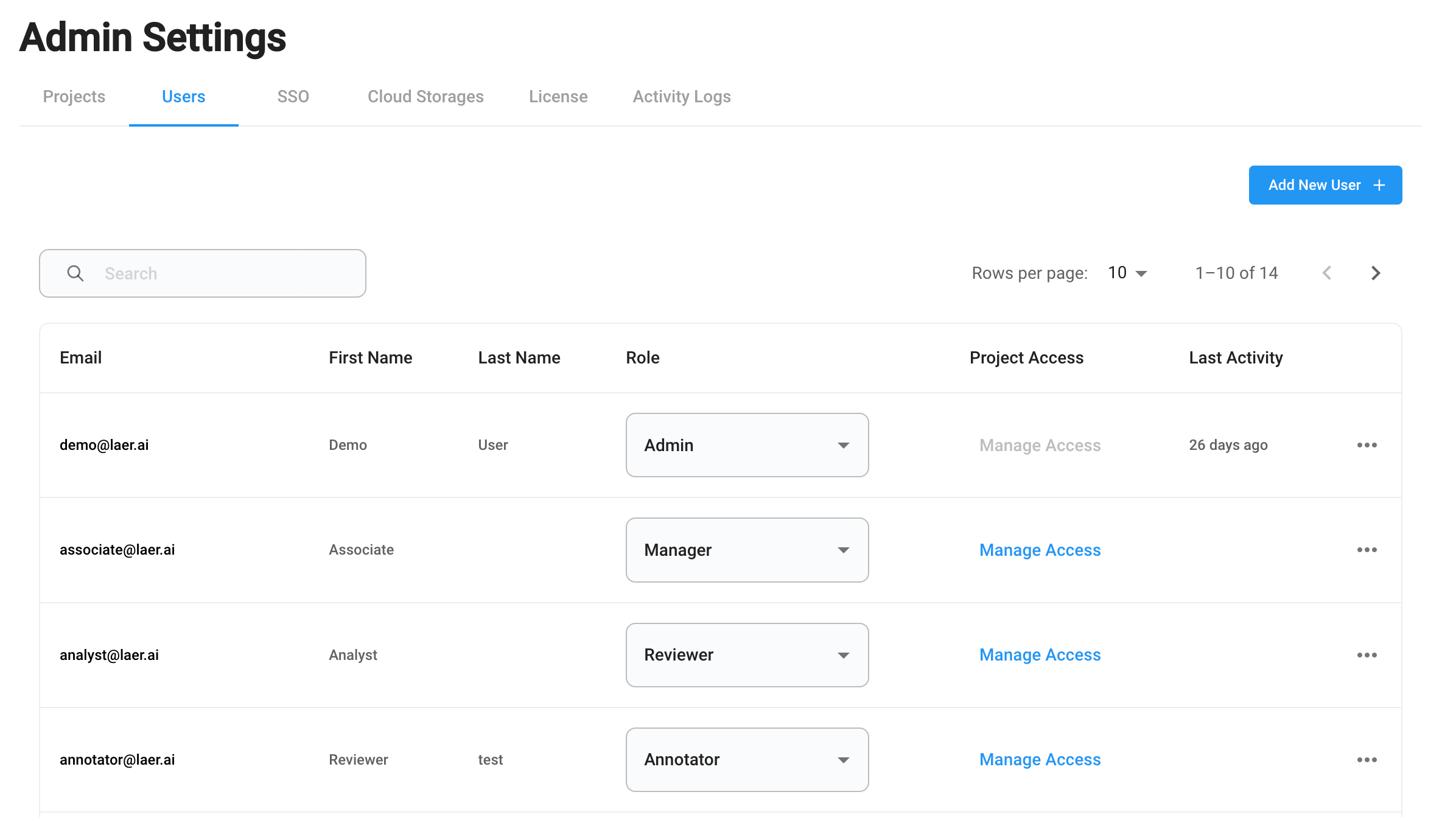 2. Select a user who is not an Admin user, click "Manage Access".
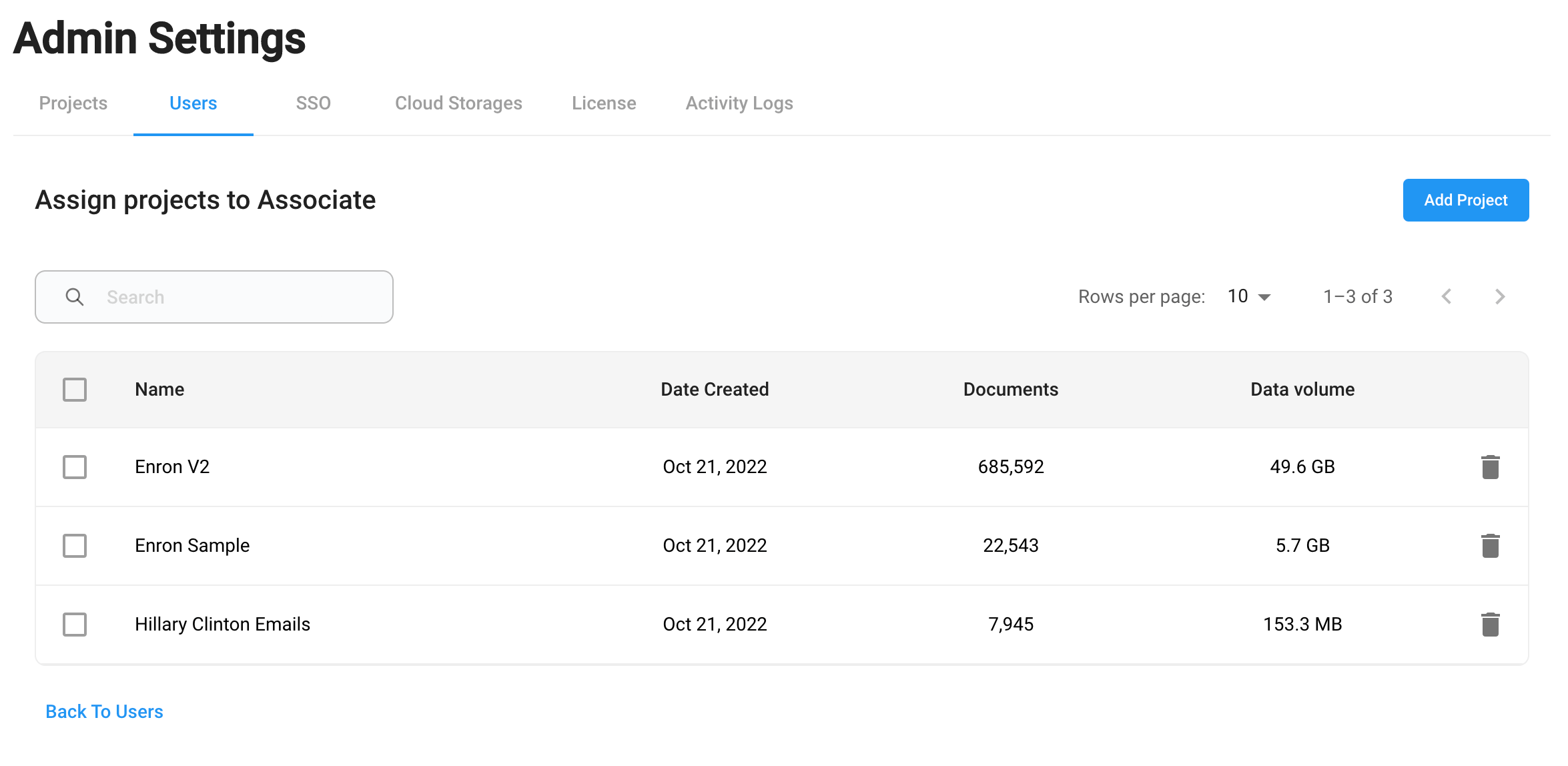 3. Assign a project to the user by clicking "Add Project".
4. Remove the user's access to existing projects by selecting the projects and click Remove.
3. Assign a project to the user by clicking "Add Project".
4. Remove the user's access to existing projects by selecting the projects and click Remove.