> ## Documentation Index
> Fetch the complete documentation index at: https://labs.laer.ai/llms.txt
> Use this file to discover all available pages before exploring further.
# Review Insights
### Overview
The **Review Insights** feature allows users to analyze and validate model-generated decisions on a document. Users can open a document, generate a **Review Run**, and select models to process the document, producing insights that explain model decisions.
### Accessing **Review Insights**
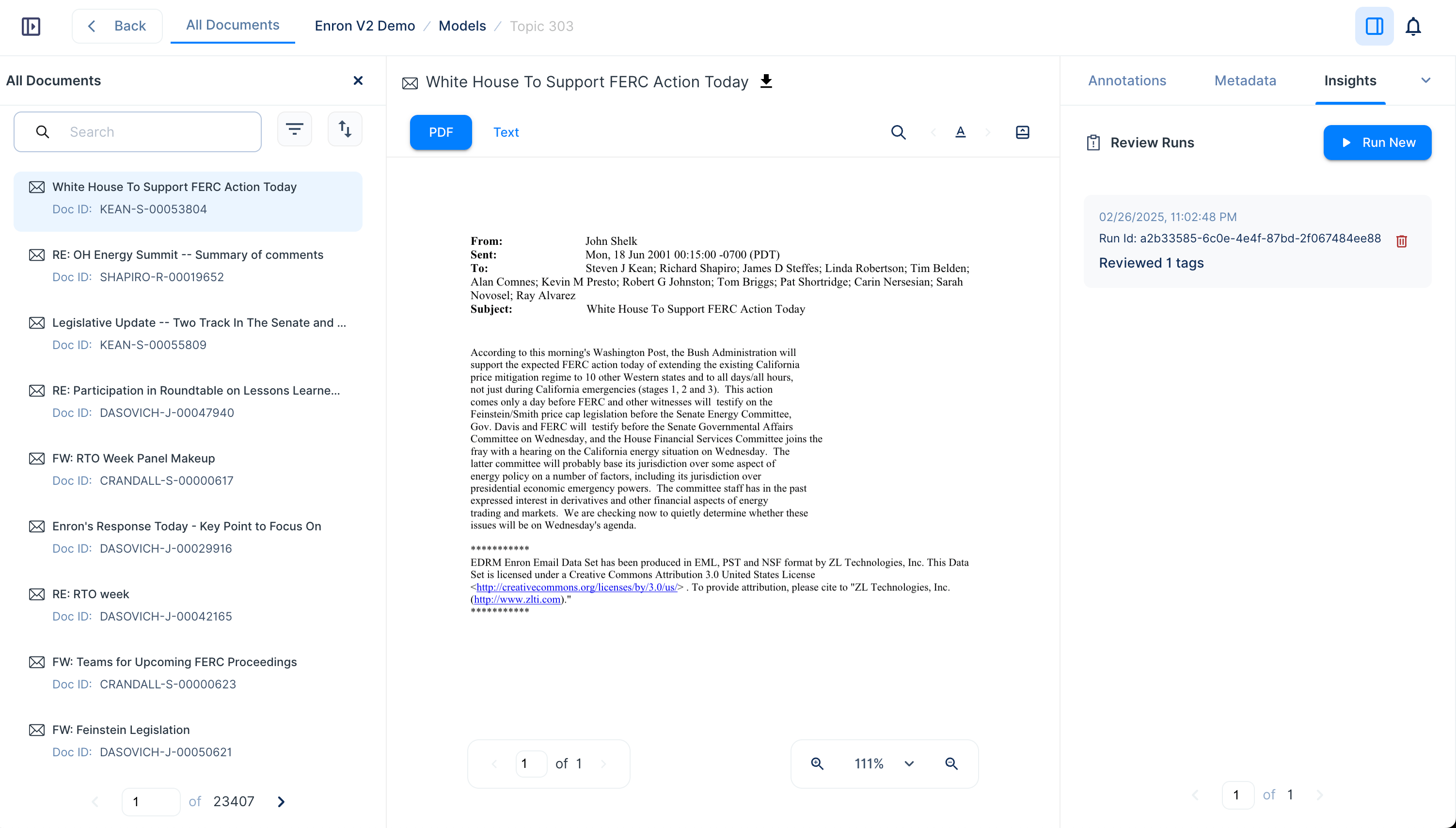
1. Open a document view.
2. Click on the **Review Insights** panel in the right sidebar.
3. Click the **Run New** button to create a new **Review Run**.
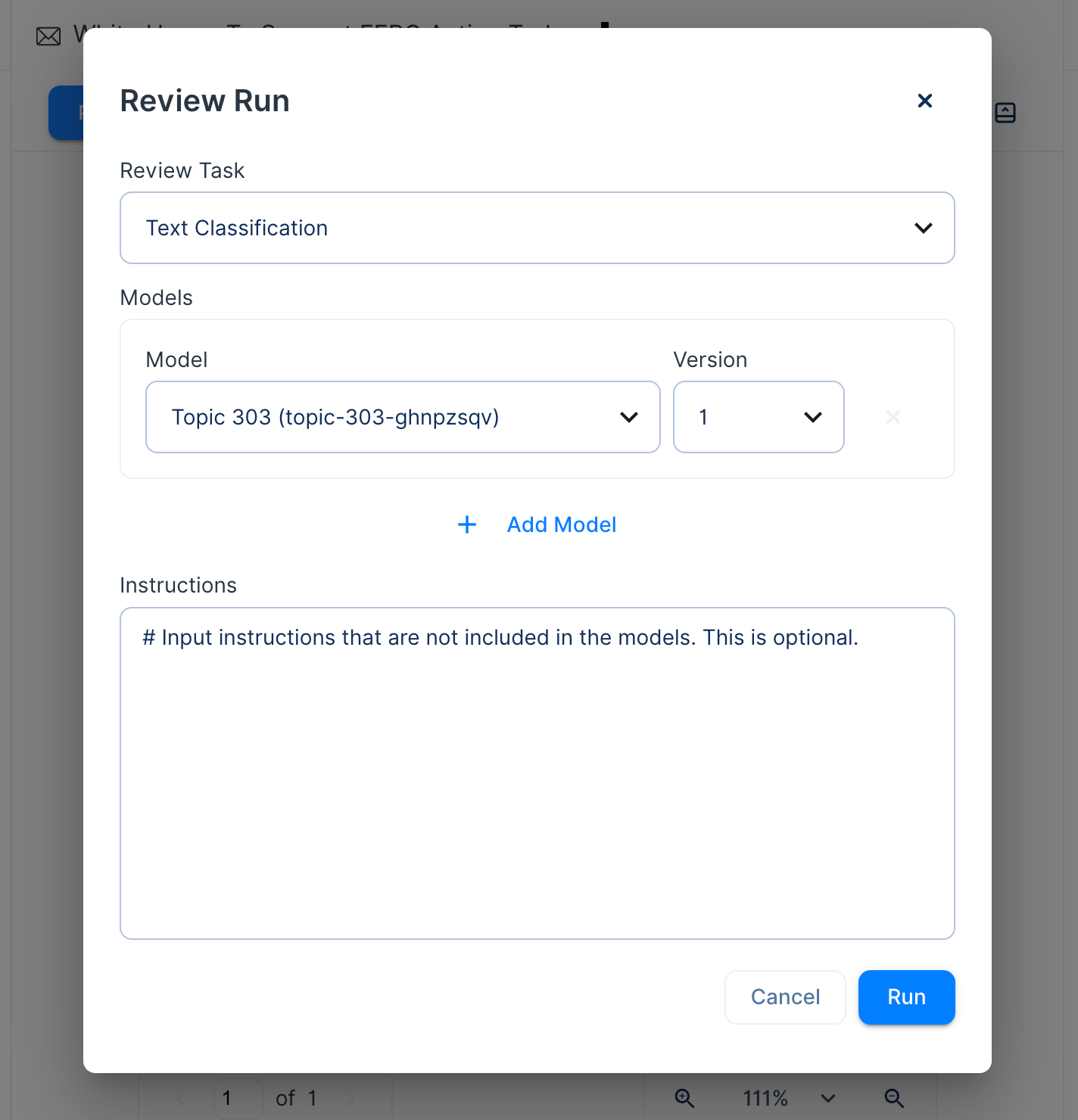
4. Select the models to run on the document. Currently, it supports two types of models, Text Classification and Text Generation.
5. The system will process the document and generate insights.
 ### Understanding **Review Insights** Output
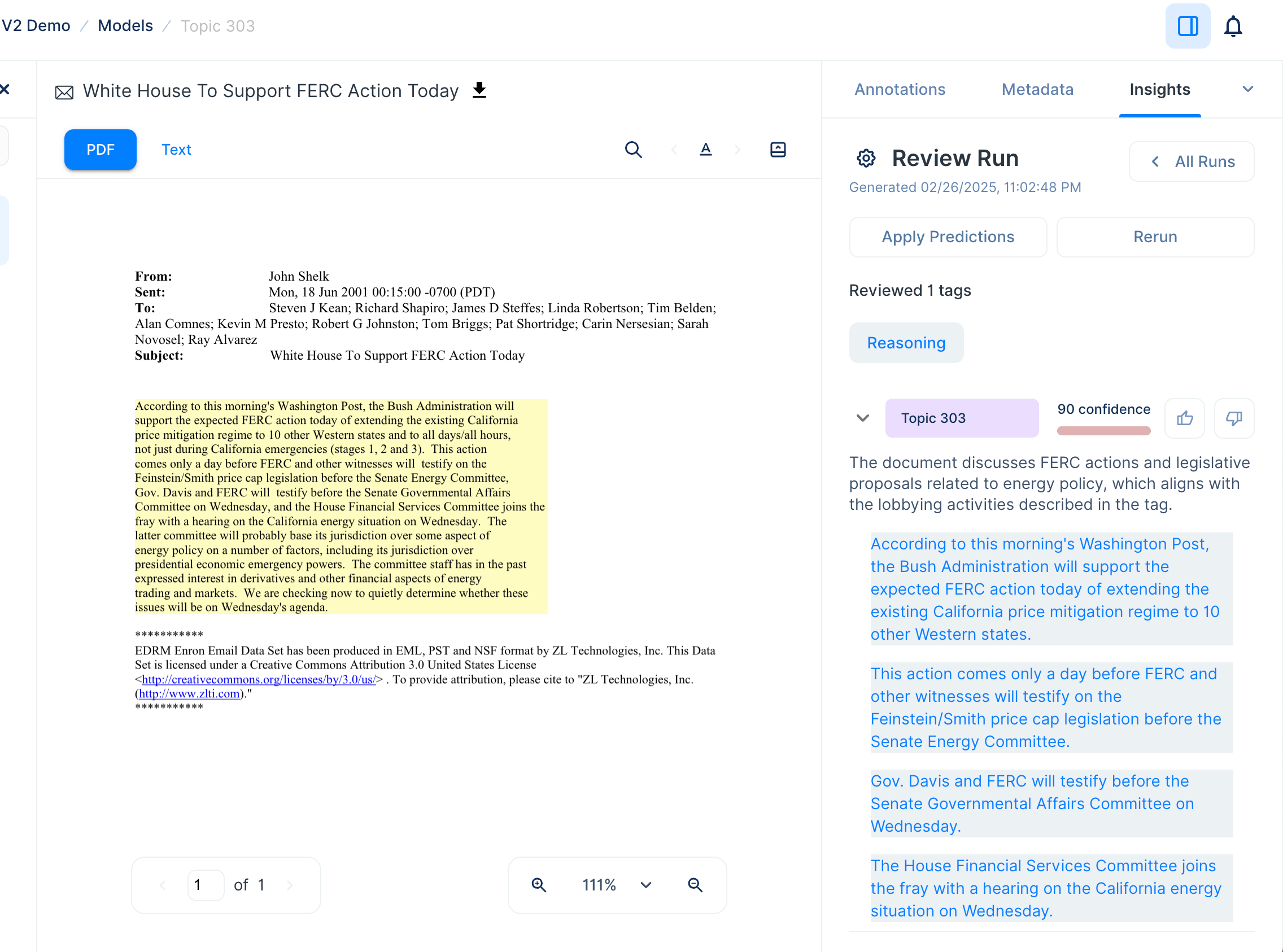
Each **Review Run** provides structured insights into model predictions, including:
* **Tags**: Categories or labels assigned by the model.
* **Fields**: Output fields defined in the model instructions.
* **Explanations**: Justifications for the model’s decision.
* **Highlighted Text**: Relevant document snippets supporting the model’s reasoning.
* **Confidence Scores**: A percentage indicating the model’s certainty in its decision.
* **Reasoning**: The model's thinking process.
### Understanding **Review Insights** Output
Each **Review Run** provides structured insights into model predictions, including:
* **Tags**: Categories or labels assigned by the model.
* **Fields**: Output fields defined in the model instructions.
* **Explanations**: Justifications for the model’s decision.
* **Highlighted Text**: Relevant document snippets supporting the model’s reasoning.
* **Confidence Scores**: A percentage indicating the model’s certainty in its decision.
* **Reasoning**: The model's thinking process.
 ### Navigating **Review Insights** Output
* Click on any **highlighted text** in the insights panel to locate and view the corresponding snippet in the document.
* Users can provide feedback by clicking **thumbs up** or **thumbs down** to indicate the accuracy of the model’s decision.
* Insights can be re-run using different models or configurations by selecting **Rerun**.
### Apply predictions
You can copy the model’s decisions to Annotations and make further edits.
### Navigating **Review Insights** Output
* Click on any **highlighted text** in the insights panel to locate and view the corresponding snippet in the document.
* Users can provide feedback by clicking **thumbs up** or **thumbs down** to indicate the accuracy of the model’s decision.
* Insights can be re-run using different models or configurations by selecting **Rerun**.
### Apply predictions
You can copy the model’s decisions to Annotations and make further edits.