> ## Documentation Index
> Fetch the complete documentation index at: https://labs.laer.ai/llms.txt
> Use this file to discover all available pages before exploring further.
# Review assignments
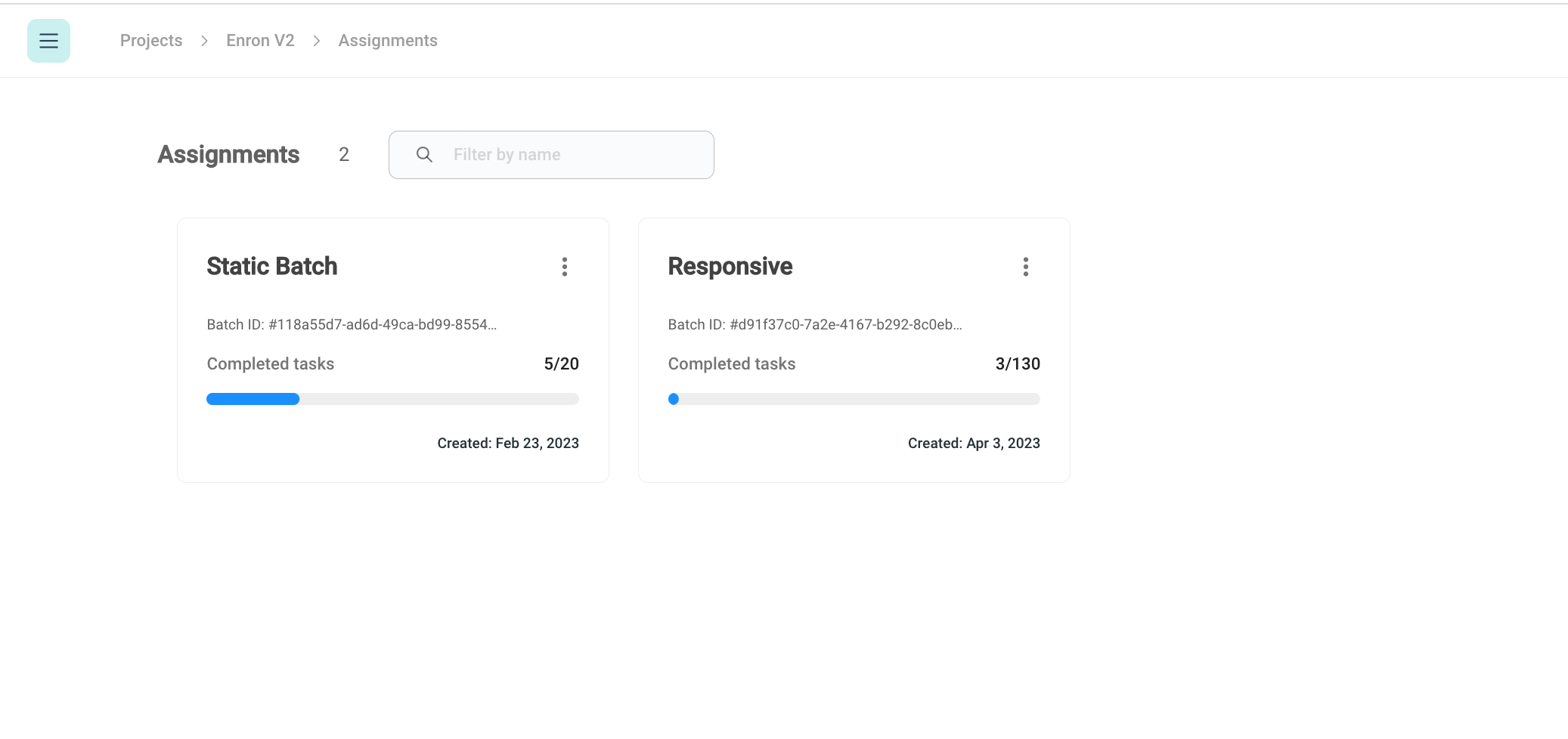
Reviewers can only view review batches that are assigned to them by reviewer managers.
Review managers can assign a review batch to reviewers during the batch creation as well as after the batch creation.
 ### Assign documents to reviewers
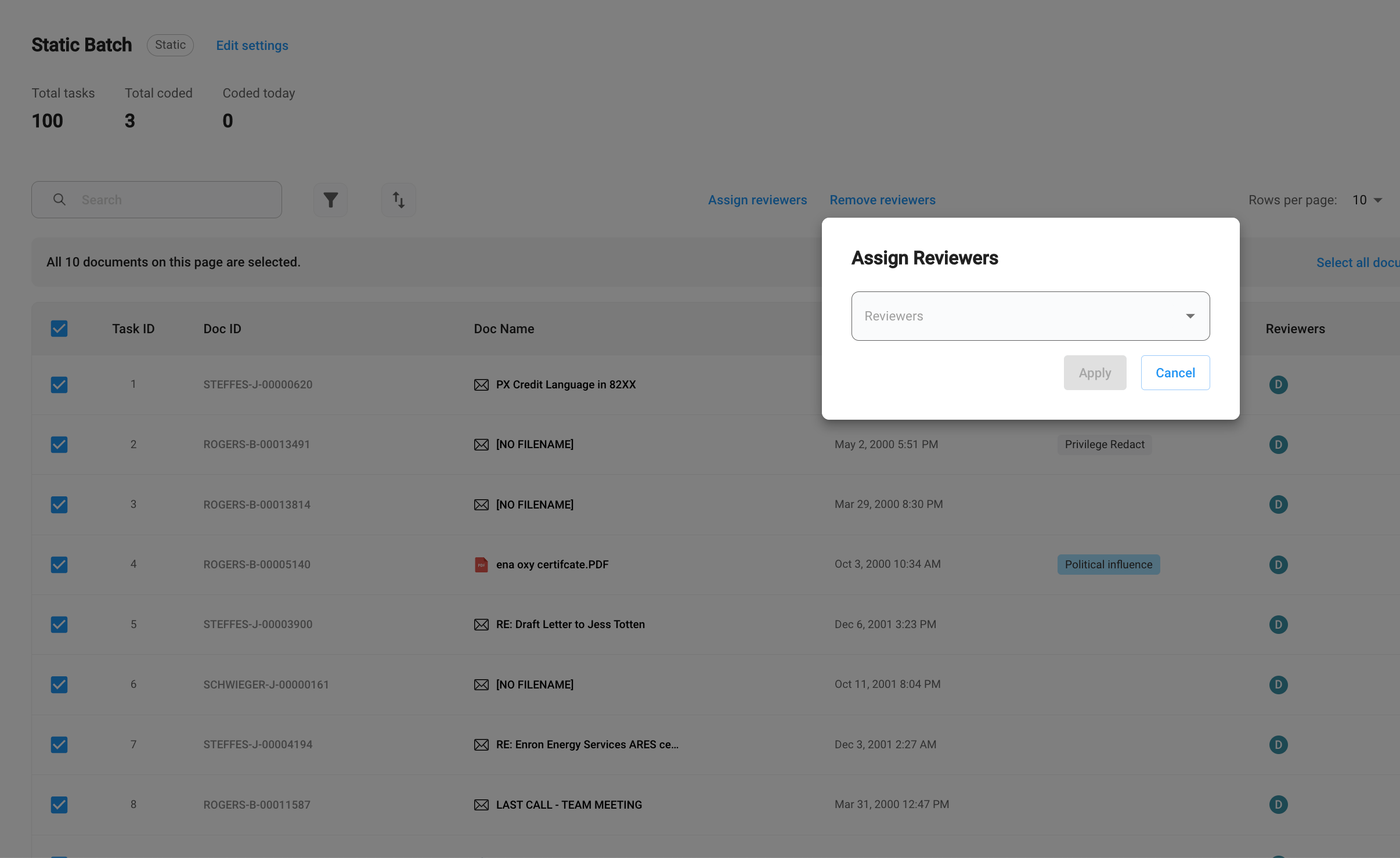
After a batch is created, reviewer managers can select a specific set of documents and assign them to an existing reviewer or a new reviewer.
To assign documents, click on the documents that you want to assign, and then click `Assign reviewers`.
### Assign documents to reviewers
After a batch is created, reviewer managers can select a specific set of documents and assign them to an existing reviewer or a new reviewer.
To assign documents, click on the documents that you want to assign, and then click `Assign reviewers`.
 ### Self-assign documents
For a dynamic batch, reviewers can always request new tasks once they finish the existing batch.
To request more documents, click `Self assign tasks`
### Self-assign documents
For a dynamic batch, reviewers can always request new tasks once they finish the existing batch.
To request more documents, click `Self assign tasks`
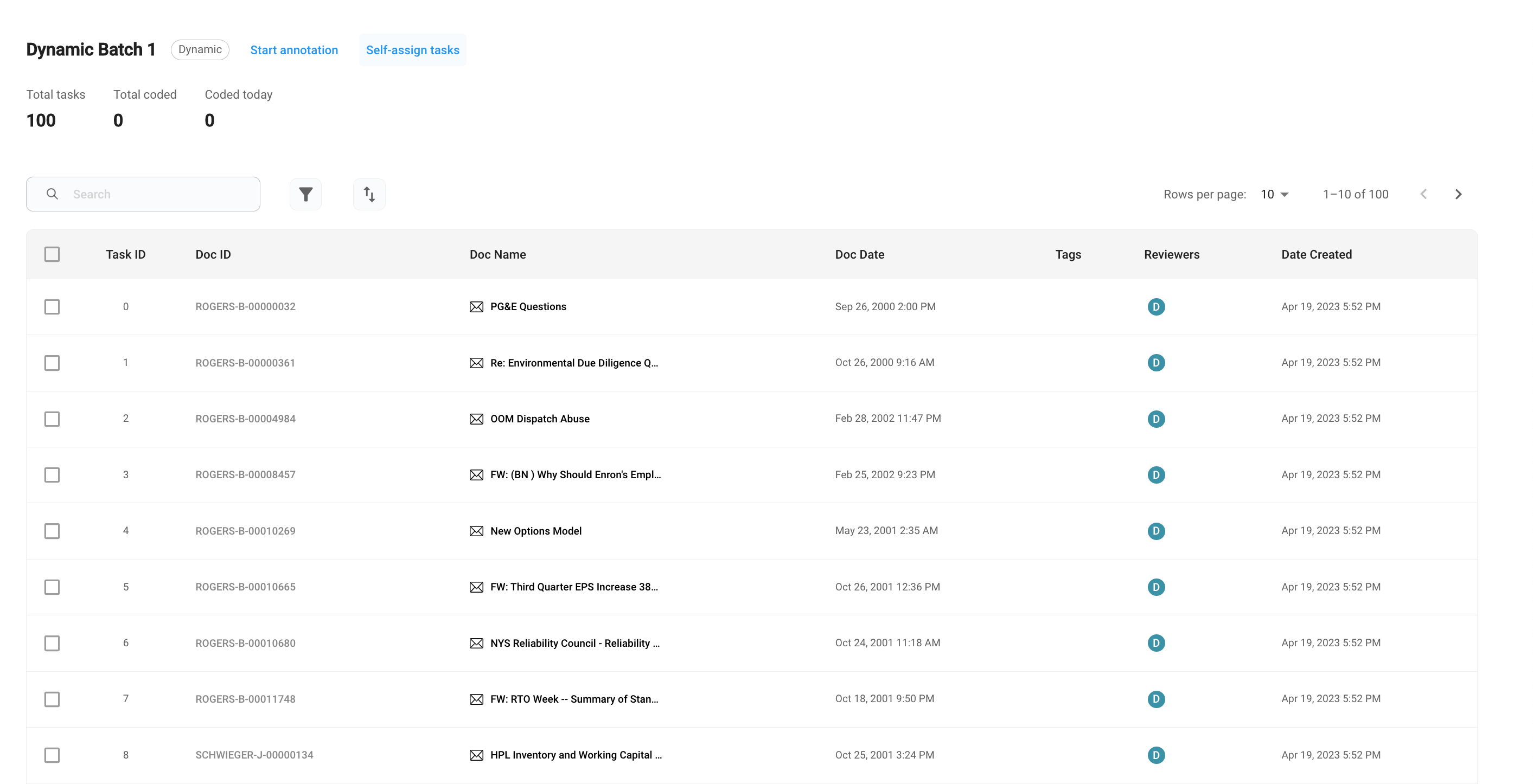 To start annotation, click `Start annotation`.